



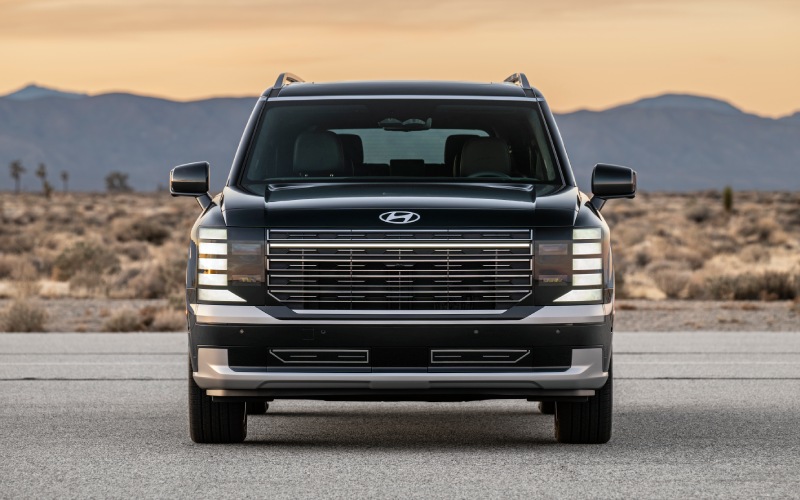
Hyundai of Grand Island – 2026 Hyundai Palisade XRT PRO — Capability and Comfort for Wood River, NE Drivers
The 2026 Hyundai Palisade XRT PRO delivers the kind of everyday practicality Wood River, NE drivers want, with real off-road hardware when the route gets rough. This trim pairs family-friendly space with a higher ride height, all-terrain tires, an electronic rear limited-slip differential, and an OEM-integrated tow hitch — all tuned to stay composed on pavement and confident on gravel or rutted farm approaches. The result is a three-row SUV that can handle school runs, Beede Park drop-offs, or a quick detour down a minimum-maintenance lane without breaking stride.
It also maintains Palisade’s calm, refined cabin: easy third-row access, adult-friendly headroom, and helpful tech like a built-in dual-camera Dash Cam and advanced camera views that project a forward ground image on-screen for slow, precise maneuvers. If your week mixes Highway 30 cruising with unpaved connectors, XRT PRO’s traction tools and premium comforts make it a compelling, balanced choice.
Why XRT PRO Fits Wood River, NE Routines
Local life often blends pavement, gravel, and the occasional two-track. XRT PRO’s 8.4 inches of ground clearance and improved approach, breakover, and departure angles help with crowned gravel lanes, washboard surfaces, or slightly rutted driveways. HTRAC® All-Wheel Drive, Mud/Sand/Snow terrain modes, and the XRT PRO-exclusive eLSD work together to channel torque to the wheel that can use it, enhancing traction when a shoulder is soft or a field entrance is uneven. The factory tow hitch teams with Tow Mode to stabilize engine and shift behavior when pulling a small utility trailer to weekend projects.
Everyday Comfort Still Comes First
What sets XRT PRO apart is how it keeps Palisade’s premium ride and space intact. The cabin remains remarkably quiet thanks to laminated glass and comprehensive sound insulation. Families appreciate the available first- and second-row Relaxation Seats on Palisade for longer stretches, while power-folding third-row functionality and one-touch second-row tilt-and-slide streamline cargo swaps. With 100-watt USB-C ports accessible to each row and a wireless charging pad that actively cools your device, tech stays ready for maps, music, and group messages.
Confidence You Can See — and Share
The Surround View Monitor adds a forward ground view that’s especially helpful when cresting a berm or easing toward a campsite obstacle. Real-time pitch and roll readouts plus compass and elevation displays bring situational awareness you typically only see on specialty off-roaders. Add in the built-in Dash Cam — which can monitor while parked — and you have peace of mind whether you’re at the ballfields or parked curbside by the Platte. When you want to share access, Digital Key 2 lets you authorize a compatible phone or smartwatch, making teen handoffs or neighbor borrowing simple.
How XRT PRO Handles Towing and Loadouts
Need to tow a small fishing boat to the river or haul landscaping tools to a weekend project? XRT PRO’s integrated OEM hitch provides a clean, durable solution, and Tow Mode helps reduce shift busyness while keeping power right where you need it on inclines or in headwinds. The cargo bay’s wide opening and low load floor simplify packing coolers, duffels, or folding chairs, and with the third row power-folded, you’ve got generous space for bulk store runs down Highway 34.
Technology That Reduces Daily Friction
Beyond the off-road gear, Palisade’s next-generation tech makes everyday driving smoother. The panoramic curved display layout keeps key information in easy view, wireless Apple CarPlay® and Android Auto™ streamline navigation and media, and Bluelink® connected services with Over-The-Air updates mean core systems can receive improvements remotely. A full-display digital rearview mirror helps you see past tall cargo or headrests, and the available UV-C sterilization compartment on upper trims brings a practical wellness touch for frequently handled items.
Is XRT PRO the Smart Choice for You?
If your week includes paved commutes, gravel connectors, and family trips to parks along the Platte, XRT PRO nails the brief: stable on the highway, surefooted on loose surfaces, and easy to live with in the school pick-up lane. It’s an authentic capability upgrade that doesn’t sacrifice the premium calm that makes Palisade such a strong family SUV. When you’re ready to take a closer look, Hyundai of Grand Island can help you compare XRT PRO with other trims to ensure you’re picking the right blend of utility and comfort, serving Ravenna, Doniphan, and Wood River.
- Ground clearance: 8.4 inches for better clearance over ruts and berms
- Traction tech: XRT PRO-exclusive eLSD with HTRAC® AWD and terrain modes
- Towing setup: Factory-integrated OEM tow hitch plus Tow Mode calibration
- Camera views: Surround View Monitor with forward ground view
- Real-time info: Pitch, roll, compass, and elevation displays
Frequently Asked Questions:
How does XRT PRO’s eLSD help on gravel or mud?
The electronic limited-slip differential can shift torque side to side across the rear axle, sending power to the wheel with more grip. On loose surfaces, that can mean steadier launches and fewer wheelspin interruptions.
Can I still enjoy a quiet, premium ride with the off-road hardware?
Yes. Palisade’s structure, laminated front glass, and careful tuning keep the cabin calm. XRT PRO adds capability without making daily rides harsh or noisy.
What makes the OEM tow hitch a better choice than aftermarket?
Integration. The factory hitch is designed into the fascia for a clean finish and proper clearances, and it pairs with Palisade’s Tow Mode for smooth shift and throttle behavior when towing.
Is XRT PRO difficult to park in town?
No. The Surround View Monitor provides an overhead view that simplifies tight spaces, and steering effort remains light and predictable for quick urban maneuvers.
Do I need terrain modes for everyday driving?
You’ll use them when surfaces change. Mud, Sand, and Snow settings can optimize traction and stability controls to help keep things calm when roads get slick or loose, while Normal, Sport, and Smart suit typical commuting.
*Image may not be actual model
Request more 2026 Hyundai Palisade information
Smart Bed Innovation on the 2026 Hyundai Santa Cruz for Everyday Projects around Hastings, NE
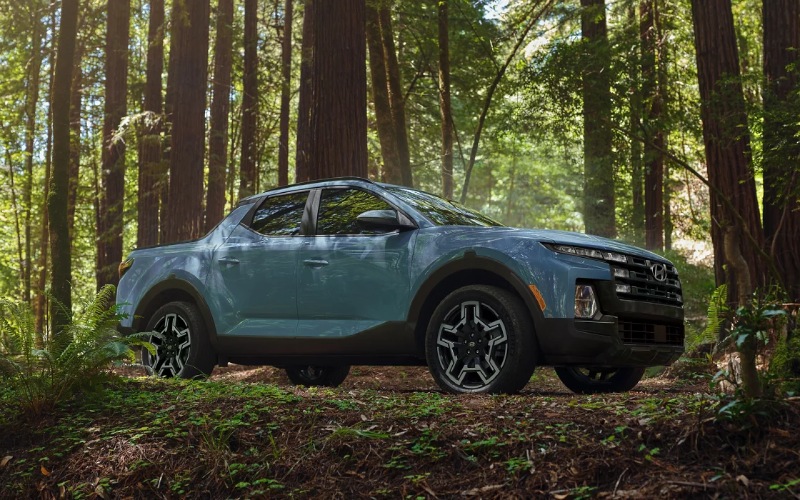
Hyundai of Grand Island – Smart Bed Innovation on the 2026 Hyundai Santa Cruz for Everyday Projects around Hastings, NE
For many Hastings, NE drivers, the right vehicle needs to do more than commute. It has to help with weekend projects, DIY upgrades, and spur-of-the-moment adventures. That’s where the 2026 Hyundai Santa Cruz shines—its open bed and clever features are engineered to make everyday tasks smoother and more secure, while the cabin delivers SUV-like comfort and tech for the miles in between. If your week includes errands across town and your weekend calls for lumber, garden soil, or mountain bikes, this Sport Adventure Vehicle brings a flexible, easy-to-use toolkit without feeling bulky or hard to park.
While traditional pickups can be larger than you need and many crossovers can’t carry messy or oversized gear as easily, the Santa Cruz splits the difference. You get a compact footprint that’s happy in downtown Hastings or along Burlington Ave, plus a bed with molded slots for cross planks, standard tie-down points, and a sealed underfloor bin that drains. This is what practical utility looks like when it’s designed from the inside out—thoughtful touches that make you faster and more confident every time you load up.
Bed Features that Make Daily Life Easier
- Underfloor Storage: A sealed, drainable bin keeps wet items or tools contained and easy to rinse out.
- Integrated Tonneau Cover: Available, lockable cover protects cargo from view and helps secure your gear.
- Adjustable Tie-Downs: Standard points and available C-channel rails with cleats support secure, custom setups.
- 115V Power Outlet: Available in-bed power for tools, tailgating accessories, and campsite essentials.
It’s the combination that matters here. With molded-in features for building quick shelves, up to six tie-down points for odd-shaped cargo, and an available integrated tonneau cover you can lock, the Santa Cruz turns common hassles into quick wins. The drainable underfloor bin is a small masterpiece—ideal for muddy straps, fishing gear, or anything else you don’t want rolling around the cabin. Add the available 115V outlet, and you can power an inflator, charge tool batteries, or keep a compact cooler running during a long work session.
Comfort and Control Between Jobs
- 12.3-inch Touchscreen: Standard, crisp display makes maps and menus easy to see at a glance.
- Panoramic Curved Display: Available setup integrates the cluster and touchscreen for a premium feel.
- Wireless Smartphone Integration: Apple CarPlay® and Android Auto™ on select trims eliminate cord clutter.
- HTRAC All Wheel Drive: Available traction control adds confidence on dirt, gravel, and uneven surfaces.
Between stops, the Santa Cruz drives like a well-sorted crossover—quiet, composed, and remarkably easy to maneuver. The standard 12.3-inch touchscreen offers a simple, high-visibility interface, and the available panoramic curved display elevates the entire cockpit with a single, flowing panel. Wireless Apple CarPlay® and Android Auto™ on select trims reduce cable tangles, while available HTRAC All Wheel Drive helps with confidence if your day takes you down a dusty road or a gravel lane north of town.
Powertrains Built for Versatility
- Standard 2.5L: Smooth, efficient 191-hp 4-cylinder for errands and everyday driving.
- Available 2.5L Turbo: Up to 281 hp and towing up to 5,000 lbs. when properly equipped.
Pick the powertrain that matches your needs. The standard 2.5L engine is a dependable partner for daily life around Hastings. Step up to the available 2.5L Turbocharged GDI-MPI 4-cylinder, and you open the door to stronger acceleration and confident towing—up to 5,000 lbs. when properly equipped. That’s perfect for a small utility trailer, dirt bikes, or a pair of personal watercraft. It’s enough muscle to handle weekend projects, yet refined enough to make your morning commute feel calm and composed.
Safety that Protects Your Day
- Blind-Spot Collision Warning: Standard alerts when vehicles are detected in your blind spot area.
- Rear Cross-Traffic Collision-Avoidance Assist: Adds confidence when backing out of busy driveways or parking lots.
- Surround View Monitor: Available 360-degree view is a standout for tight spots and hitching up a small trailer.
- Highway Driving Assist: Available assist feature that helps maintain distance, speed, and lane centering on longer routes.
Whether you’re loading mulch at a local garden center or parking along 2nd St for a quick pickup, the Santa Cruz’s safety tech makes a difference. Standard alerts help with lane positioning and blind spots, and available features like Surround View Monitor go a long way when parking near curbs or aligning a hitch. Those small, stress-reducing aids add up—especially on a packed Saturday when you’re making multiple stops.
Frequently Asked Questions:
How secure is the Santa Cruz bed for storing tools or purchases?
With the available integrated, lockable tonneau cover, you can keep items out of sight and help secure them. The standard underfloor storage also allows you to stash gear and then lock the tailgate.
Can I power tools from the bed?
Yes, an available 115V power outlet in the bed supports compatible tools and accessories, which is great for small jobs or tailgates.
Is the Santa Cruz easy to park in tighter areas of Hastings?
Absolutely. Its compact footprint and available Surround View Monitor make tight parking and narrow streets more manageable than many traditional pickups.
Which trims offer the most bed-focused features?
All trims include tie-downs and the drainable underfloor bin. The SEL Activity adds an integrated tonneau cover, while upper trims layer on more driver assistance and tech for a premium everyday feel.
For shoppers who want one vehicle that’s comfortable on the way to work and genuinely helpful on the weekend, the 2026 Hyundai Santa Cruz stands out. It replaces the compromise of “too big” or “not capable enough” with something more nimble, more clever, and more enjoyable to use. At Hyundai of Grand Island, serving Hastings, St. Paul, and Central City, we can help you compare trims and configure the bed features that fit your projects best so you bring home a Santa Cruz that handles your daily grind and every to-do that follows.
Request more 2026 Hyundai Santa Cruz information
Hyundai Digital Key 2 Touch on the 2026 Hyundai Elantra — Everyday Convenience for Hastings, NE Drivers
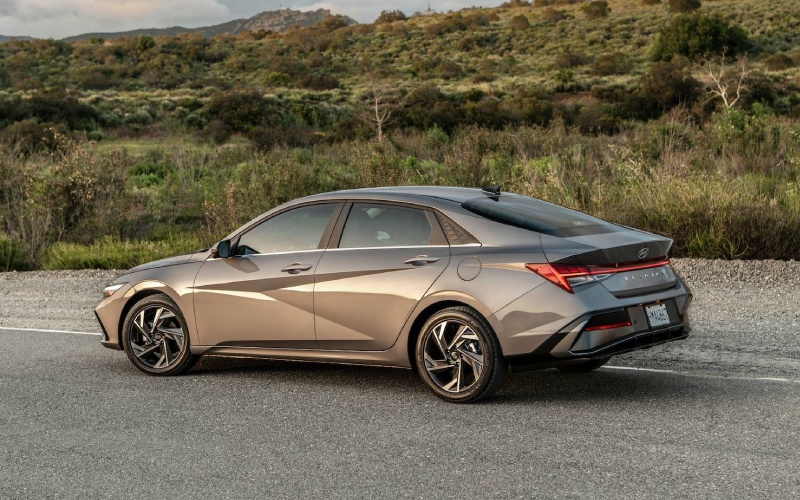
Hyundai of Grand Island – Hyundai Digital Key 2 Touch on the 2026 Hyundai Elantra — Everyday Convenience for Hastings, NE Drivers
If everyday convenience and tech-forward confidence are high on your wish list, the 2026 Hyundai Elantra’s available Hyundai Digital Key 2 Touch belongs at the top of your research. Using your compatible smartphone, you can lock, unlock, and start your Elantra—no traditional key needed. For drivers around Hastings, NE, where schedules can go from a morning meeting downtown to a late pickup on Burlington Avenue, it’s the kind of feature that quietly transforms routine errands and family handoffs.
What makes Digital Key 2 Touch so compelling is how naturally it fits into the life you’re already living—no new habits required. Add your car key to your compatible device’s native wallet app, like Apple Wallet, Google Wallet, or Samsung Pass, and you’re set. Your phone becomes your key, and with the ability to share access digitally, lending the Elantra to a trusted family member is as simple as sending a text.
How Hyundai Digital Key 2 Touch works
Hyundai Digital Key 2 Touch uses your compatible smartphone as a secure access point for your Elantra. Once set up, you can unlock the doors and start the vehicle via your device, and you can share that access—temporarily or longer term—when life calls for it. It’s especially helpful if you’re coordinating with a spouse or sharing driving duties with a student who splits time between classes near Hastings College and a part-time job across town.
- Confirm your device is compatible and update to the latest OS version.
- Add your Digital Key to Apple Wallet, Google Wallet, or Samsung Pass.
- Follow the Elantra’s on-screen prompts to complete pairing.
- Send a secure, time-bound share link if you want to grant access to another driver.
That’s it—no extra dongles, no layers of complexity. And because it’s integrated with your phone’s native wallet app, the feature feels familiar from day one.
Why it matters for everyday driving around Hastings
In Hastings, NE, daily driving often means quick stops, school drop-offs, and parking near local shops where juggling keys is the last thing you want to do. Digital Key 2 Touch reduces the friction of those micro-moments. Heading into the courthouse or running into the grocery store? Keep your phone in your pocket and move confidently. Need to pass the Elantra to a family member parked over by Heartwell Park? Share access securely—no detour required.
Pair this with the Elantra’s available wireless device charging and Wi-Fi hotspot capabilities, and you get a tightly integrated tech story that’s genuinely helpful. You arrive with devices charged, your apps synced via standard wireless Android Auto and Apple CarPlay on the 8-inch display (or the available 10.25-inch touchscreen with navigation), and your keys handled seamlessly by your smartphone.
Security, sharing, and peace of mind
The flexibility to share access is what turns Hyundai Digital Key 2 Touch from a novelty into a daily advantage. When plans change—and they always do—you can grant access digitally and then remove it when it’s no longer needed. That means your Elantra is ready for last-minute schedule swaps without the hassle of tracking down a physical fob.
Of course, the Elantra still provides the familiarity of traditional access methods, so you’re not locked into a single approach. The key is choice—use your smartphone when it’s most convenient, and rely on traditional methods whenever you prefer.
How it connects to the rest of the Elantra’s tech
Hyundai Digital Key 2 Touch is part of a broader tech package that helps streamline every mile. The available dual 10.25-inch display setup creates a modern cockpit—one screen for navigation and infotainment, and one fully digital instrument cluster. Standard wireless Android Auto and Apple CarPlay reduce cords and clutter, and available wireless charging keeps the center console neat. Add available Smart Cruise Control with Stop & Go for interstate stretches and Highway Driving Assist on Limited for long commutes, and the Elantra feels purpose-built for the way we all drive now.
- Digital access: Hyundai Digital Key 2 Touch makes your compatible smartphone your key—shareable and wallet-ready.
- Display clarity: Available 10.25-inch touchscreen with navigation plus a 10.25-inch digital cluster keep info front and center.
- Wireless ease: Standard wireless Android Auto™ & Apple CarPlay® on the 8-inch display simplify daily connections.
- Driver assists: Available Smart Cruise Control with Stop & Go and Highway Driving Assist support confident highway miles.
What stands out is how naturally these features work together. Unlock with your phone, set your route on the available 10.25-inch display with navigation, let Smart Cruise Control manage the flow on US-6 or US-34, and step out at the end of the day with one device handling it all. That cohesiveness is where the Elantra feels a step ahead.
Frequently Asked Questions:
What phones work with Hyundai Digital Key 2 Touch?
Hyundai Digital Key 2 Touch works with compatible smartphones that support Apple Wallet, Google Wallet, or Samsung Pass. Check your device and OS version to confirm compatibility.
Can I share Digital Key access with a family member?
Yes. You can securely share access via a texted link and revoke access when you no longer need to share the Elantra.
Does the Elantra still come with a traditional key fob?
Yes. While Digital Key 2 Touch adds everyday convenience, traditional access methods remain available for flexibility.
Is Digital Key 2 Touch standard on all Elantra trims?
Hyundai Digital Key 2 Touch is available on select trims, including Limited. Ask our team to help you compare trims and features.
How does Digital Key 2 Touch work with Bluelink+?
Bluelink+ adds remote capabilities from the MyHyundai with Bluelink app. Combined with Digital Key 2 Touch, you get both remote features and wallet-based access from your compatible smartphone.
The local advantage
At Hyundai of Grand Island, we help drivers choose the right trim and tech setup for life around Hastings—where reliable connectivity and quick handoffs can be the difference between rushing and relaxing. Our product specialists will walk you through setup, demonstrate Digital Key 2 Touch, and make sure it fits your day-to-day. We’re proud of our simple, up-front approach and our focus on tools that make ownership easier, serving Hastings, St. Paul, and Central City with a streamlined, local-first experience.
Hyundai Digital Key 2 Touch is more than a headline feature—it’s a daily time-saver that pairs perfectly with the Elantra’s broader technology story. If you’re mapping out a smarter commute or planning for a car that the whole household can share, it’s worth seeing how quickly this one feature reshapes your routine. Stop by to explore the 2026 Hyundai Elantra and see how smoothly your smartphone can become the most convenient key you carry.
Request more 2026 Hyundai Elantra information
Everyday Tech Made Simple — 2026 Hyundai Tucson Convenience Features for Hastings, NE Drivers
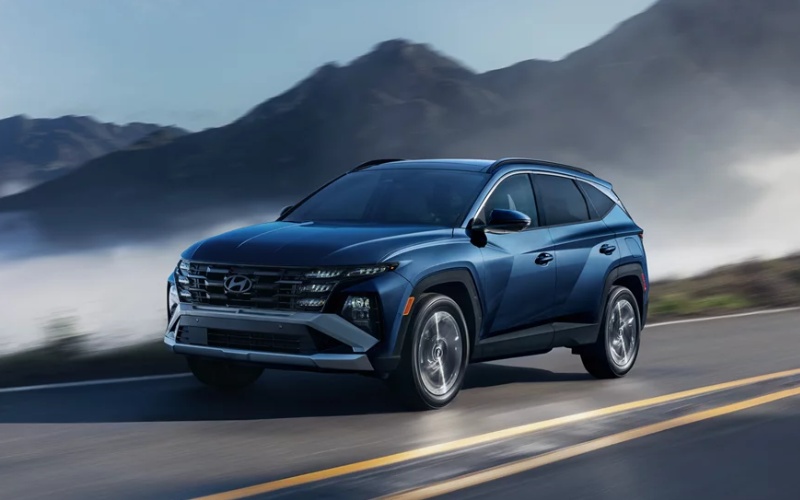
Hyundai of Grand Island – Everyday Tech Made Simple — 2026 Hyundai Tucson Convenience Features for Hastings, NE Drivers
The 2026 Hyundai TUCSON brings a refreshing kind of everyday smart to Hastings, NE—technology that cuts stress without adding complexity. From its available hands-free smart power liftgate to the panoramic curved display and Bluelink+, TUCSON is designed to make your routine smoother, whether you’re parallel parking near downtown businesses, loading band equipment after practice at the high school, or meeting friends at Lake Hastings. And because the tech is intuitive, you spend more time driving and less time digging through menus.
Why these convenience features matter in real life
Small time-savers add up across a busy week. The TUCSON’s available hands-free smart liftgate opens when your Proximity Key is nearby—no foot-waving or awkward balancing acts with grocery bags and a stroller. Inside, Wireless Android Auto™ & Apple CarPlay® are standard, removing cable clutter and making it easy to bring your podcasts and playlists along. The available panoramic curved display unites the standard 12.3-inch touchscreen with an available 12.3-inch digital cluster—so your maps, media, and vehicle info are clear at a glance, especially helpful when you’re juggling directions and school pickup timing around Burlington Avenue.
Remote conveniences help too. With Bluelink+, you can remotely lock, unlock, and start your TUCSON, or check vehicle status from your compatible smartphone—so you’re not wondering if you locked up before walking into a game at Duncan Field. On upper trims, Hyundai Digital Key 2 Premium lets you use a compatible smartphone in place of the key fob and share access—great for families who split driving duties or occasionally lend the car to a relative.
Feature focus: the panoramic curved display
The available panoramic curved display immediately changes how you interact with the TUCSON. The 12.3-inch digital cluster puts essential info—speed, drive mode, system alerts—front and center in crisp, high-contrast graphics. To the right, the standard 12.3-inch touchscreen keeps navigation, audio, and connected features one tap away. The result is an elegant, almost cinematic view that simplifies decision-making. It’s particularly welcome on a trip down Highway 6 when you want speed, navigation, and lane guidance visible at a glance, without bouncing between screens.
- Fewer Distractions: Key info is placed logically, so you can scan quickly and keep your eyes where they belong—on the road.
- Clear Mapping: The larger canvas makes neighborhoods and side streets around Hastings easier to visualize.
- Simple Menus: The interface keeps the most-used functions close at hand, reducing tap counts for daily tasks.
Whether you’re a long-time Hyundai owner or new to the brand, this display delivers an upscale, modern vibe that matches its functionality. It’s the kind of feature that makes driving feel calmer and more connected.
Hands-free smart liftgate: subtle, brilliant, and genuinely helpful
This available feature is a day-to-day champion. When your Proximity Key is detected near the liftgate, TUCSON opens automatically after a brief moment—no gestures needed. Imagine walking out of the Hastings Farmers Market with both hands full. Instead of setting everything down to fumble for the key, the liftgate simply opens for you. It sounds small, but once you live with it, you won’t want to go back.
- No Kicking or Waving: Just approach with the Proximity Key.
- Adjustable Height: Set the opening height to your preference if you park in areas with low clearance.
- Fast Loading: Combined with the dual-level cargo floor and wide opening, loading is easier and quicker.
The liftgate pairs well with TUCSON’s flexible cargo area—41.2 cu ft with the rear seats up and up to 80.3 cu ft (SAE 74.8) with them folded—so whether you’re hauling a dorm fridge to Central Community College or soccer gear for the weekend, you have room to spare.
Bluelink+ and Hyundai Digital Key 2 Premium: control without friction
Bluelink+ comes at no extra cost and keeps you connected to your TUCSON from your compatible smartphone. Running late? Start the engine remotely and set the climate before you hop in. Not sure if you locked the doors after grabbing dinner on 2nd Street? Check and lock from your phone. On select trims, Hyundai Digital Key 2 Premium lets a compatible smartphone or smartwatch become your key, and you can share secure access digitally. It’s a seamless fit for families coordinating schedules across school, sports, and work.
- Remote Start: Pre-condition the cabin before you leave the house.
- Status Checks: Lock/unlock and verify door status from almost anywhere.
- Shared Access: Grant key privileges to a family member as needed.
Because these features are software-driven, they integrate smoothly with the TUCSON’s broader tech ecosystem, including OTA (Over-The-Air) capabilities for select systems. Practical, forward-thinking, and easy to use—that’s the theme.
Frequently Asked Questions:
Do I need to pair my phone every time for Wireless Android Auto™ & Apple CarPlay®?
No. After the initial pairing, your device should reconnect automatically when you start the vehicle with Bluetooth and Wi-Fi enabled on your phone.
Can I set different driver profiles for the panoramic curved display?
Yes. On equipped trims, you can save display preferences, radio favorites, and more to a driver profile, making it easy for multiple drivers to keep their own settings.
Is the hands-free smart liftgate available on all trims?
It’s available starting on SEL and standard on higher gas trims. Availability may vary on Hybrid and Plug-in Hybrid models by trim.
Does Hyundai Digital Key 2 Premium replace the key fob entirely?
On equipped trims, a compatible smartphone can function as a key. You’ll still receive a traditional key fob, and many drivers use both depending on the situation.
What if my phone battery dies—can I still get in?
You have your key fob as backup. For peace of mind, many owners carry the key fob during longer outings or overnight trips.
Bringing it all together, the 2026 Hyundai TUCSON makes daily driving in Hastings easier—from smart, hands-free cargo access to wireless smartphone integration and a stunning available panoramic curved display that reduces distraction. Add in connected tools like Bluelink+ and, on select trims, Hyundai Digital Key 2 Premium, and your SUV works around your schedule rather than the other way around. These aren’t party tricks; they’re everyday upgrades that help you feel organized, confident, and just a little more relaxed behind the wheel.
If you’re ready to see how this tech fits your routine, Hyundai of Grand Island, serving Hastings, St. Paul, and Central City, is here to help with friendly guidance and an easy, straightforward process. Bring your questions and your must-haves, and take a TUCSON for a drive that focuses on how you live, work, and move through your day.
Request more 2026 Hyundai Tucson information
Smarter Small-SUV Living — 2026 Hyundai KONA Space, Screens, and Parking around Hastings, NE
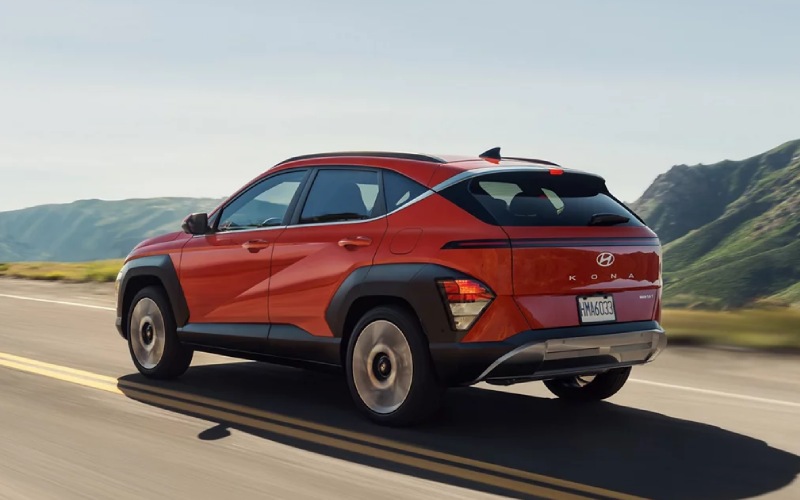
Hyundai of Grand Island – Smarter Small-SUV Living — 2026 Hyundai KONA Space, Screens, and Parking around Hastings, NE
The 2026 Hyundai KONA packs more everyday problem-solving into a compact footprint than most shoppers expect. If you spend time circling for a spot near downtown Hastings or threading through tight lots by local grocery stores and schools, Kona’s thoughtful packaging, smart screens, and advanced parking tech can make your day noticeably smoother. This blog dives into the specific features that help—from the dual-display setup to cargo tricks—and how to get the most from them on your first week behind the wheel.
Dual 12.3-inch Displays: What They Show and Why It Matters
Kona’s available 12.3-inch touchscreen with navigation and 12.3-inch digital instrument cluster combine for a streamlined, high-clarity view of your world. The touchscreen anchors maps, media, and key settings, while the digital cluster can surface turn-by-turn directions, driver-assistance info, and vehicle stats without stealing your eyes for too long. It’s all about context. When you’re easing along Burlington Avenue or turning onto US-6, keeping nav prompts in your line of sight reduces the “look away, look back” scanning that pulls attention off the road.
Set up your home screen widgets to prioritize what you use most: navigation shortcuts, phone favorites, and a quick toggle to driver-assistance menus. If you share the KONA with a partner, consider creating a profile so each driver’s preferred cluster layout and audio shortcuts appear instantly. That way, your commute playlist and cluster readouts are tailored to you the moment you press start.
Wireless Smartphone Integration and Wi-Fi: Streamlined, Cord-Free Days
Wireless Apple CarPlay and Android Auto help you cut the clutter and keep the front console tidy. Pair once and Kona remembers your device, so your podcast or messages are ready without fumbling for a cable. Available Wi-Fi hotspot capability comes in handy if you’re parked outside a practice field and the kids need to finish homework on a tablet—easy connectivity, no tethering hassle.
One tip: set up voice commands through your preferred assistant so you can quickly launch directions, send a message, or switch playlists using a short phrase. It’s faster and safer than navigating menus in motion. These small adjustments can shave minutes from your daily routine and reduce that low-level anxiety that builds up during busy days.
Parking and Low-Speed Maneuvers: Tech That Lowers the Pulse
If parking stress eats into your day, the KONA’s available Surround View Monitor (SVM) and Remote Smart Parking Assist (RSPA) are game-changers. SVM stitches a 360-degree, birds-eye view so you can see curbs, carts, and tight boundaries, while RSPA can move the KONA forward or back into a space using the Smart Key—handy when someone parks a little too close or you’re negotiating a narrow garage at home.
For routine backing, Rear Cross-Traffic Collision-Avoidance Assist helps with vehicles approaching from the side and can apply braking if needed. It’s especially helpful when your view is blocked by larger vehicles or landscaping near driveways. And if you frequently parallel park downtown, Parking Distance Warning plus available Parking Collision-Avoidance Assist provide layered support to keep the bumper and wheels scuff-free.
Cargo Flexibility: Right-Sized for Errands and Weekend Runs
Compact on the outside doesn’t mean compromised on the inside. Kona’s cargo area is easy to load, with a practical opening and a lift-over height that doesn’t demand heavy lifting. The 60/40 split second row lets you mix passenger space and gear space on the fly—think folded stroller plus a week’s groceries or two backpacks plus a cello. Limited’s hands-free smart liftgate with auto open is a quiet hero when your hands are full: stand behind the hatch with the key on you, and the liftgate opens without fishing for a button.
A few setup ideas make everyday life simpler: stow a small folding crate to keep grocery bags upright, use the underfloor storage spots for just-in-case items, and keep a USB cable in the side pocket for a backup charge. These simple moves turn Kona’s thoughtful packaging into daily time-savers.
Confidence on the Open Road
If your routine includes stretches on Highway 6 or quick hops onto rural connectors, you’ll appreciate Kona’s steady ride and available 190-hp 1.6L turbocharged GDI 4-cylinder. It pairs nicely with the 8-speed automatic for smooth, predictable merging and passing. Available Highway Driving Assist helps maintain speed, distance, and gentle lane centering on compatible roadways—ideal for reducing fatigue during longer commutes or end-of-day drives.
On days with variable surfaces or dirt connectors near the edges of town, available HTRAC All Wheel Drive builds extra confidence. It actively optimizes power delivery to front and rear wheels, which helps Kona remain composed when traction changes. You’ll still drive with care, but the system’s calibration adds welcome stability and reassurance.
Safety That’s Always On
Hyundai SmartSense brings an impressive mix of standard features to every 2026 KONA. Forward Collision-Avoidance Assist covers Pedestrian, Cyclist, Junction Turning, and Direct Oncoming support; Blind-Spot Collision Warning and Rear Cross-Traffic Collision-Avoidance Assist add awareness where it’s needed most. Lane Keeping Assist and Lane Following Assist help keep the KONA on a clean heading, and Driver Attention Warning can nudge you to take a break when patterns suggest fatigue. Step up to Limited and Surround View Monitor, Blind-Spot View Monitor, and Remote Smart Parking Assist bring extra clarity and convenience to everyday life.
Want a handy checklist to use on your first drive?
- Cluster view: Set your preferred digital cluster layout before leaving the driveway
- Phone pairing: Enable wireless Apple CarPlay or Android Auto and confirm audio levels
- Driver assists: Toggle on/off the features you prefer most (SCC, LKA, HDA where equipped)
- Parking tools: Practice SVM and RSPA in an open lot to build confidence
- Cargo setup: Configure the underfloor storage and test the hands-free liftgate timing
Frequently Asked Questions:
Which 2026 KONA trim is best for tech-focused drivers?
SEL Premium and Limited are standouts. SEL Premium adds the 12.3-inch digital cluster, H-Tex® seating, and the turbo engine. Limited stacks on the 12.3-inch touchscreen with navigation, Hyundai Digital Key 2 Touch, Surround View Monitor, Blind-Spot View Monitor, Highway Driving Assist, and Remote Smart Parking Assist.
Is Hyundai Digital Key 2 Touch useful day to day?
Yes—your compatible smartphone becomes your key for unlocking and starting the KONA, and you can share access with trusted family. It reduces key juggling and makes life simpler if households share the vehicle.
Does the 2026 KONA help with tight parking in older neighborhoods?
Absolutely. The available Surround View Monitor and Remote Smart Parking Assist are ideal for narrow streets and compact driveways. You can precisely see the surroundings or move the vehicle in or out of a spot with the Smart Key when space is tight.
What setup steps should I do at delivery?
Pair your phone, customize the cluster and home screen widgets, walk through SmartSense settings, and practice SVM and RSPA in a low-pressure setting. If you’re short on time, ask the product specialist to demonstrate each feature while you record short videos on your phone for later reference.
For drivers who value right-sized versatility, modern screens, and parking tech that lowers stress, the 2026 KONA brings a remarkably complete package. It’s engineered for the thousand small tasks that define real-world driving in and around Hastings—and it does them with clarity and calm. Hyundai of Grand Island is proudly serving Hastings, St. Paul, and Central City, and our team is happy to walk you through trims and tech so you get the KONA set up exactly how you want it.
If you’re weighing the 2.0L versus the turbo 1.6L, think through your typical merge and pass needs, how much you value extra reserve power, and which trim features fit your lifestyle. Either way, Kona’s cabin tech and safety suite make it an easy vehicle to settle into—one that’s simple to own and confident to drive.
Request more 2026 Hyundai Kona information
Remote Smart Parking Assist on the 2026 Hyundai SANTA FE — A Stress-Saver for St. Paul, NE Parking Lots
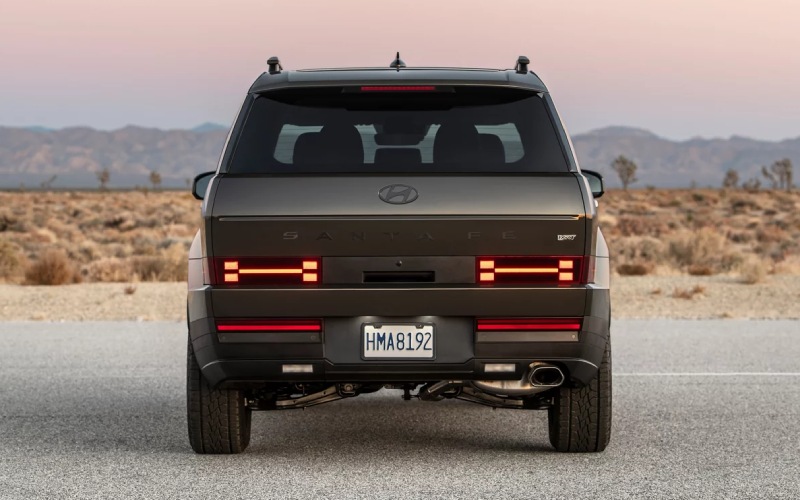
Hyundai of Grand Island – Remote Smart Parking Assist on the 2026 Hyundai SANTA FE — A Stress-Saver for St. Paul, NE Parking Lots
Parking can be the part of driving most of us dread—tight angles, busy lots, and precious inches between bumpers. The 2026 Hyundai SANTA FE steps in with available Remote Smart Parking Assist (RSPA), a feature that helps you glide into or out of tight spaces while you stand outside the vehicle and press a button on the Smart Key. Around St. Paul, NE—where you might find narrow main-street spots or tight angles outside ball fields and local shops—this is the kind of everyday tech that takes the edge off.
What makes RSPA stand out is how seamlessly it works with the SANTA FE’s other smart systems. Parked at a challenging angle? Use your key to guide the SUV straight in or pull it out slowly if another driver has parked too close. If you’ve ever lost time re-parking to make a child’s car seat more accessible or to squeeze past a neighboring door, you already know how valuable this can be. RSPA is standard on Limited and Calligraphy trims, pairing with the available Surround View Monitor for an overhead perspective that helps you double-check clearances before you even step out.
How Remote Smart Parking Assist Works in Real Life
Remote Smart Parking Assist uses the SANTA FE’s built-in sensors to manage steering, braking, and low-speed movement while you guide the vehicle using the Smart Key. Think of it as a precise, slow-motion maneuver for those moments when space and angles aren’t on your side. In downtown St. Paul or at a full community lot, you can line up your SANTA FE, step out to confirm surroundings, then hold the key button to let the system finish the job. If someone or something moves into the path, the vehicle can stop—helping you keep the process calm and under control.
Because RSPA operates at low speeds and requires the driver to hold the button continuously, you stay in charge. It complements the 2026 SANTA FE’s available Surround View Monitor and Parking Distance Warning – Reverse/Forward/Side, so you can approach tight parking with a better view and audible guidance. Taken together, these features reduce the “guessing game” of bumpers, corners, and curbs that comes with crowded lots.
Step-by-Step Tips for Smooth Use
- Align the vehicle near the parking space and stop with a safe buffer.
- Shift to Park, step outside, and ensure the area is clear for movement.
- Press and hold the Smart Key RSPA button to move the SANTA FE in or out.
- Release the button to pause immediately; reassess if the environment changes.
This straightforward process can feel like a helpful extra set of hands when space is tight, whether you’re pulling into angled parking near local shops or easing out of a cramped spot after a youth game.
Why It Matters for St. Paul, NE Drivers
Local driving is full of quick stops, short errands, and family drop-offs where time is tight and lots are busy. The 2026 SANTA FE’s available RSPA turns those stressful micro-moments into quick wins, especially when paired with features like available Blind-Spot View Monitor for lane changes and Rear Cross-Traffic Collision-Avoidance Assist when backing out. Even if your daily routes don’t take you far, the confidence that comes from better visibility and easier low-speed maneuvering pays off every day.
On wider open runs beyond town or along US-281, the SANTA FE’s driver-assistance features continue to help. Smart Cruise Control with Stop & Go handles speed and spacing, while Highway Driving Assist or Highway Driving Assist 2 on Calligraphy provides gentle lane centering and, on supported roads, even assists during lane changes. It’s a cohesive system designed not just for highways, but for the whole spectrum of driving that fills your week.
Choosing the Right Trim for RSPA
If RSPA is a must-have, look closely at Limited and Calligraphy. Limited pairs comfort and everyday tech—20-inch alloy wheels, a 12.3-inch fully digital gauge cluster, and available Surround View Monitor—with RSPA as standard. Calligraphy takes it further with Nappa leather-trimmed seating surfaces, the driver seat with relaxation function, and Highway Driving Assist 2 (HDA 2). Both trims keep the SANTA FE easy to place in traffic and easy to settle into after a long day. For families juggling school, work, and weekend activities, it’s a smart blend of convenience and calm.
Frequently Asked Questions:
Can I use Remote Smart Parking Assist if there are pedestrians nearby?
Always ensure the area is clear before engaging RSPA. If someone moves into the path, release the button to stop the vehicle immediately. Sensors are there to help, but you remain responsible for safe operation.
Is RSPA only for parallel parking?
No. It is useful for pulling straight into tight spaces or backing out when another vehicle parks too close. It’s about low-speed precision in close quarters, not just parallel maneuvers.
Does RSPA replace the need to check my surroundings?
No. RSPA enhances your control, but you should always confirm that the area is clear before and during use. The system is designed to assist a careful driver, not to replace attentive judgment.
Which 2026 SANTA FE trims include RSPA?
Remote Smart Parking Assist is standard on Limited and Calligraphy trims. It pairs well with the available Surround View Monitor for a comprehensive parking toolkit.
What other features help with low-speed maneuvering?
Surround View Monitor, Parking Distance Warning – Reverse/Forward/Side, and Parking Collision-Avoidance Assist – Reverse contribute to clearer visibility and more controlled movement in tight spaces.
If you’re drawn to the way the 2026 SANTA FE makes parking simpler—and want support that extends across your full driving day—this SUV’s combination of RSPA, confident power, and true three-row space is a strong match for St. Paul routines. At Hyundai of Grand Island, we pair that capability with guidance tailored to how you drive and where you drive. We are proudly serving Hastings, St. Paul, and Central City with a process that keeps things streamlined and clear, from choosing the right trim to setting up your driveway handoff. When you’re ready, explore a Limited or Calligraphy and put RSPA to work on your own streets and lots—you’ll notice the difference the first time you press the button.
Request more 2026 Hyundai Santa Fe information
Everyday Tech Confidence around St. Paul, NE — 100-watt USB-C and OTA Updates on the 2026 Hyundai Palisade
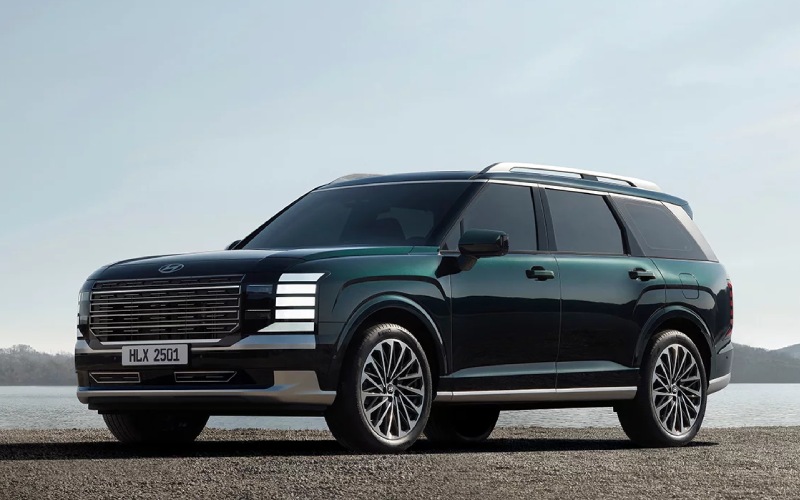
Hyundai of Grand Island – Everyday Tech Confidence around St. Paul, NE — 100-watt USB-C and OTA Updates on the 2026 Hyundai Palisade
The 2026 Hyundai Palisade is packed with the kind of technology that makes daily life simpler, not more complicated. Two standouts—100-watt-capable USB-C charging and standard Over-the-Air updates—bring everyday convenience and long-term confidence to families driving around St. Paul, NE. If you have kids swapping devices or teens juggling phones, tablets, and game controllers, you will appreciate ports that deliver real power and smart charging placement in every row. And with OTA updates, there is less reason to set aside time for a service visit just to update maps or infotainment features. The Palisade stays current in the background, which means your vehicle keeps getting better without asking you to do more.
Why high-output USB-C ports matter in real life
Plenty of vehicles now include USB ports, but Palisade’s attention to charging power and placement is the difference you feel Monday through Friday. Each row has convenient access to 100-watt-capable USB-C ports—so you can top off a modern laptop or deliver fast charging to high-demand devices during a quick run from St. Paul to Grand Island. No more rationing plugs or carrying a tangle of adapters. When each passenger can plug in with confidence, the cabin stays quieter, and devices are ready when you arrive.
Those high-output ports also help in moments that are not glamorous but matter a lot. Think about a last-minute detour to pick up a forgotten Chromebook, or getting a work call when your phone is at 12 percent. With 100-watt-capable USB-C ports, you can add meaningful charge in minutes, which is exactly the kind of thoughtful engineering families notice over time.
OTA updates—how Palisade quietly keeps improving
Over-the-Air updates are more than a buzzword in the 2026 Palisade. This standard capability allows key software systems to update in the background, so your infotainment, maps, and certain vehicle controls remain current without a special appointment. That means navigation stays relevant as new roads are added and software refinements can come online after you take delivery. It is the kind of future-ready design that reduces ownership friction and keeps the vehicle experience polished year after year.
Pair that with the Palisade’s intuitive panoramic curved dual 12.3-inch displays, and you get a setup that looks elegant, responds quickly, and adjusts to new features as they arrive. The cabin tech is tuned for clarity and familiarity, not gimmicks. It is easy to use from day one and designed to grow with you.
Family-focused tech that fits St. Paul driving
St. Paul drivers cover a lot of ground—school drop-offs, weekend activities, and the regular run down Highway 281. The Palisade’s tech stack meets those practical demands. Wireless Apple CarPlay and Android Auto are standard, so your apps and maps are ready the moment you start the vehicle. Hyundai Digital Key 2.0 Premium lets you lock, unlock, and start using a compatible phone or watch, and you can share access with family members when needed. And if you carry a full crew, available first- and second-row Relaxation seats add more recline and deployable leg support, a welcome luxury on longer drives.
Safety tech supports you, not the other way around. Ten standard airbags—including third-row coverage—and driver assistance features like Forward Collision-Avoidance Assist, Lane Following Assist, and High Beam Assist help make daily driving feel a little less hectic. For parking in tighter spots, available Remote Smart Parking Assist can help guide the Palisade in or out while you stand outside with the key fob. It is a thoughtful, confidence-building technology throughout the experience.
How charging and updates align with the rest of the Palisade package
Technology is only as good as the platform it lives on, and Palisade’s powertrains and chassis deliver. Choose the new 3.5-liter V6 for up to an estimated 287 horsepower and an easy, quiet drive. Or opt for the new hybrid system, targeting up to 329 combined horsepower with robust torque for confident acceleration. Available HTRAC® All-Wheel Drive adds Tow Mode and Terrain modes—Mud, Sand, and Snow—so you can head across varying road surfaces without second-guessing traction. It all comes together to create a vehicle that feels composed, connected, and ready for the next plan on your calendar.
The cabin is just as balanced. The two-level center console places everyday controls close at hand and includes a wireless charging pad with an integrated cooling fan—another small but smart touch that helps devices charge more efficiently. Available Bose® 14-speaker audio brings theater-like sound to family playlists and podcasts, and the available full-display digital rearview mirror helps you see past a full third row or larger cargo.
Tips for getting the most from Palisade’s cabin tech
- Create user profiles: Set seat, display, and audio preferences so each driver gets a personal setup
- Link your devices: Pair phones for wireless CarPlay or Android Auto and save favorite apps on the home screen
- Use Digital Key smartly: Share access with family through the app and set permissions for extra control
- Charge with intention: Reserve 100-watt-capable ports for higher-demand devices when everyone is plugged in
- Update overnight: Schedule OTA updates for off-hours so the Palisade is always ready to roll
These simple steps help ensure your Palisade’s tech feels effortless day to day. It is not about learning a new workflow—it is about letting the vehicle adapt to how you already live and drive.
Frequently Asked Questions:
Can the Palisade’s USB-C ports charge a laptop?
Yes—select ports are 100-watt-capable, which is enough power to charge many modern laptops, along with tablets and phones. Check your device’s power needs and cable compatibility for best results.
Do I need to visit the dealership for software updates?
No—key systems in the 2026 Palisade support standard Over-the-Air updates. You can often schedule updates during off-hours so your vehicle is ready each morning without a special trip.
Is wireless Apple CarPlay and Android Auto standard?
Yes—wireless smartphone integration is standard, so you can connect quickly without hunting for a cable.
What other tech features make everyday use easier?
The panoramic curved dual 12.3-inch displays, available full-display digital rearview mirror, available built-in dual-camera Dash Cam, and Hyundai Digital Key 2.0 Premium all contribute to a seamless, modern experience.
Which trims include these features?
Wireless smartphone integration and OTA updates are standard across the lineup. Availability of features like the Bose audio system, Relaxation seats, UV-C Sterilization Compartment, and the digital rearview mirror varies by trim. Our team can walk you through specifics.
If you are weighing a family-ready SUV for life around St. Paul, the 2026 Palisade’s thoughtful charging and update strategy is a real differentiator. It keeps devices powered, streamlines your routine, and helps the vehicle stay current over time. That is the quiet kind of innovation you appreciate every day, long after the test drive. At Hyundai of Grand Island, we align your trim choice with the features you will use most—serving Hastings, St. Paul, and Central City with a straightforward, helpful approach to getting you on the road with confidence.
Request more 2026 Hyundai Palisade information
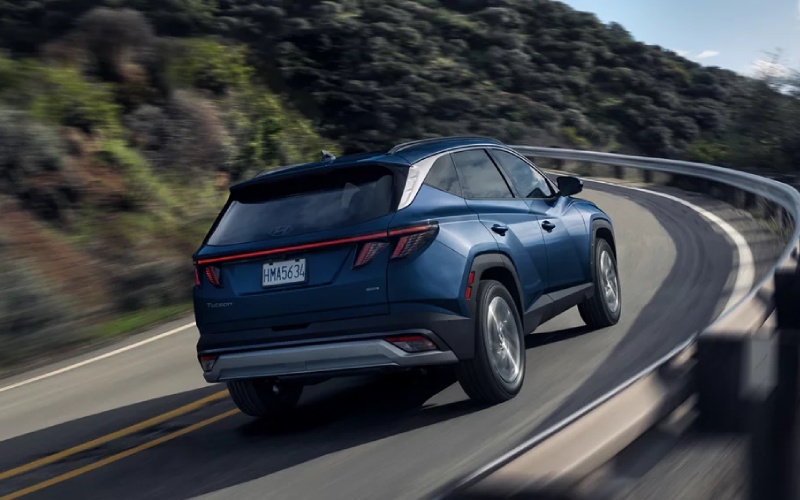
Hyundai of Grand Island – Should I get HTRAC All Wheel Drive on the 2026 Hyundai TUCSON near Aurora, NE?
Deciding between Front Wheel Drive and HTRAC All Wheel Drive on a 2026 Hyundai TUCSON becomes a practical, everyday question when your life includes Hamilton County gravel miles, crosswinds on US-34, weekend stops at Mormon Island State Recreation Area, and school drop-offs in town. At Hyundai of Grand Island, we help shoppers near Aurora, NE match the TUCSON’s capability to real routes and routines—so you feel confident year-round, not just on paper.
The 2026 TUCSON is available with HTRAC All Wheel Drive across its gas trims, and offers Snow mode exclusive to AWD. It also brings useful advantages beyond traction, including additional ground clearance on AWD models, thoughtful Hyundai SmartSense safety tech, and cargo versatility for gear and groceries. Below, we outline when HTRAC AWD makes a clear difference for Aurora-area driving and when FWD is a smart, simple fit.
Who benefits most from HTRAC AWD around Aurora
Across central Nebraska, conditions can shift from dry pavement to loose gravel and wet grass in a single day. If any of the following ring true for you, HTRAC AWD is worth serious consideration.
- You regularly drive gravel or caliche county roads between Aurora, Hampton, or Phillips
- You head out before sunrise or after dark when frost or black ice can linger
- You launch a small boat or park on wet grass at lakes and trailheads
- You prefer extra confidence pulling away from a stop on slick or dusty surfaces
- You want Snow drive mode for added stability in winter conditions
For many families near Aurora, that mix of rural surfaces, wind-swept intersections, and seasonal slick spots is exactly where HTRAC AWD quietly earns its keep. It is technology you rarely notice—until you need it.
How HTRAC All Wheel Drive works on the 2026 TUCSON
HTRAC All Wheel Drive is designed to enhance traction by continuously distributing power between the front and rear axles. On loose gravel or a dusty shoulder, HTRAC can send more torque to the rear wheels as the system detects slip, helping the TUCSON track straight and pull ahead confidently. The setup is predictive, not just reactive, so it anticipates changes as you accelerate or turn.
Drive Mode Select tailors that behavior. Normal balances efficiency and comfort. Sport sharpens throttle mapping and can favor rear torque for a planted, responsive feel getting up to highway speed on I-80. My Drive lets you personalize. On AWD models, Snow mode is added—it tempers wheel spin and smooths throttle input to help you maintain momentum on snowy or icy starts.
There is also a practical geometry perk. AWD TUCSON models provide up to 8.3 inches of ground clearance vs 7.1 inches on FWD. That extra bit can help clear ruts or packed snow berms at the end of a plowed driveway or along field approaches common around Hamilton County.
When FWD is enough
If most of your miles are in-town errands, paved commutes to Grand Island, and summer highway trips, TUCSON FWD remains a smart, efficient choice. The 2026 TUCSON FWD posts an EPA-estimated 25 mpg city, 33 mpg highway, 28 mpg combined, and its standard Hyundai SmartSense safety features support everyday confidence no matter which drivetrain you choose.
Key technologies like Forward Collision-Avoidance Assist (FCA), Lane Keeping Assist (LKA), Lane Following Assist (LFA), Blind-Spot Collision Warning (BCW), Rear Cross-Traffic Collision-Avoidance Assist (RCCA), and High Beam Assist (HBA) are standard across TUCSON gas trims. Add in Driver Attention Warning (DAW) and available Highway Driving Assist (HDA) on higher trims, and you have a comprehensive safety net for daily driving near Aurora—even if AWD is not on your must-have list.
As always, tires matter. A quality set of all-season tires in good condition can make a FWD TUCSON feel surefooted for most paved-road routines. If you expect frequent winter travel on secondary roads, we invite you to ask our Service team about snow-rated tire options to maximize traction on either drivetrain.
Real-life examples from Aurora to Grand Island
Think about specific stops in your week. A morning run down US-34 with crosswinds and a light dusting of snow favors AWD for steady, drama-free launches from lights and controlled lane changes. An afternoon detour on a gravel road to watch a youth practice outside town highlights how HTRAC keeps the TUCSON stable when the surface turns loose. A weekend picnic at Mormon Island State Recreation Area may put you on damp, uneven grass—AWD helps you ease out without spinning.
Even in dry weather, Sport mode on an AWD TUCSON can make on-ramps toward I-80 feel more confident, putting power down through all four wheels as you merge. The benefit is subtle, but once you experience it back-to-back with FWD, you can feel the added composure.
Trim and feature combinations that pair well with AWD
Because HTRAC AWD is available across gas trims, you can match capability to the comfort and tech level you prefer. For all-around value near Aurora, many shoppers land on SEL or SEL Premium with AWD for features like heated front seats, dual automatic temperature control, 18-inch alloy wheels, and the 12.3-inch touchscreen. SEL Premium adds the 12.3-inch digital instrument cluster, available onboard navigation, and H-Tex seating surfaces that clean up easily after a muddy sideline or a trail day.
If you want the most driver-assist confidence for winter commutes, TUCSON Limited AWD brings a panoramic sunroof, leather-trimmed seats, and advanced assists including Blind-Spot View Monitor (BVM), Surround View Monitor (SVM), Remote Smart Parking Assist (RSPA), and Navigation-based Smart Cruise Control with Curve Control. These pair nicely with HTRAC to reduce stress in tight parking lots and on longer highway stretches between Aurora and Grand Island.
Prefer seamless phone access and shared driving among family members or co-workers? We can help you explore TUCSON models with available Hyundai Digital Key 2 Premium, so approved drivers can use a compatible smartphone to unlock and start the vehicle—handy for busy households near Aurora High School events or shift changes.
Whichever trim you choose, you are backed by America’s Best Warranty, including a 10-Year/100,000-Mile Powertrain Limited Warranty, adding long-term confidence to your decision.
How to decide in one drive
Nothing replaces seat time on your actual roads. Our Aurora route recommendation is simple. Start in town on neighborhood streets, hop onto US-34 toward Grand Island to feel highway stability, then loop a short stretch of well-maintained gravel with our product specialist at the wheel. We will toggle Drive Mode Select so you can feel how Normal and Sport respond. If conditions allow, we will also demonstrate Snow mode behavior in a safe area.
Because our product specialists are non-commission, our focus stays on fit. We will help you compare FWD vs HTRAC AWD calmly and clearly—then build the TUCSON that matches your week, not just a spec sheet.
Frequently Asked Questions:
Does HTRAC All Wheel Drive change ground clearance on the 2026 TUCSON
Yes. AWD models offer up to 8.3 inches of ground clearance compared with 7.1 inches on FWD. That extra clearance helps with ruts, packed snow edges, and light off-pavement approaches common near Aurora.
How does Snow mode work on an AWD TUCSON
Snow mode, available only on AWD models via Drive Mode Select, softens throttle response and optimizes front-to-rear torque distribution to limit wheel spin and improve stability when starting or maneuvering on snow and ice.
What are the EPA-estimated fuel economy differences between FWD and AWD
For gas models, TUCSON FWD is EPA-estimated at 25 mpg city, 33 mpg highway, 28 mpg combined. TUCSON AWD is EPA-estimated at 24 mpg city, 30 mpg highway, 26 mpg combined. Actual mileage will vary with options, driving conditions, driving habits, and vehicle condition.
Is there any extra maintenance with HTRAC AWD
AWD adds components like a rear differential that require fluid checks and service at intervals in the owner’s manual. Our factory-trained technicians follow Hyundai procedures and can keep your TUCSON AWD maintained to spec.
Can I add HTRAC AWD after purchasing a FWD TUCSON
No. AWD is integrated at the factory and cannot be retrofitted. If you are on the fence, we recommend test-driving both with us on the same route before you decide.
Will my TUCSON’s safety features change if I choose AWD
Core Hyundai SmartSense features like Forward Collision-Avoidance Assist, Lane Keeping Assist, Lane Following Assist, Blind-Spot Collision Warning, High Beam Assist, and Rear Cross-Traffic Collision-Avoidance Assist are standard across gas trims. Higher trims add features such as Highway Driving Assist, Blind-Spot View Monitor, Surround View Monitor, and Remote Smart Parking Assist, which you can pair with either FWD or AWD, depending on trim.
Next steps near Aurora
If your daily map includes gravel connectors, early-morning starts, or weekend trailheads, HTRAC All Wheel Drive on the 2026 Hyundai TUCSON is likely the right long-term fit. If you mainly stay on pavement and prioritize the best possible EPA estimates, FWD may be perfect. Our team at Hyundai of Grand Island, serving Ravenna, Doniphan, and Wood River, will help you experience both setups back to back, compare trims like SEL, SEL Premium, and Limited, and tailor features such as the hands-free smart liftgate, 12.3-inch displays, and available Hyundai Digital Key 2 Premium to your needs.
Ready to feel the difference? Plan a test drive route from Aurora to our store and back, and we will set up both a FWD and an HTRAC AWD TUCSON for you. We will also walk you through accessories like winter floor protection, roof rails, and Genuine Hyundai Accessories that suit life in and around Aurora, NE. When you are ready, we will build your TUCSON with transparency and our one low price approach—so you drive home confident in your decision and in your SUV.
Request more 2026 Hyundai Tucson information
Hyundai of Grand Island – Can the 2026 Hyundai SANTA FE tow a small camper near Hastings, NE?
Planning quick getaways to places like Fort Kearny State Recreation Area, Johnson Lake, or a family weekend at Lake Hastings gets a lot easier when your SUV can confidently tow the gear you need. For shoppers near Hastings, NE comparing family SUVs, the 2026 Hyundai SANTA FE brings three-row flexibility and serious real-world capability—especially when you want to pull a lightweight travel trailer or pop-up. At Hyundai of Grand Island, serving St. Paul, Central City, and Ord, we help you match the right SANTA FE configuration to your camper so your road trips feel calm, capable, and organized from driveway to campsite.
The core of the SANTA FE’s towing confidence is its 277 hp 2.5L Turbocharged GDI/MPI 4-cylinder and the available HTRAC All Wheel Drive system. When properly equipped, SANTA FE can tow up to 4,500 pounds on the XRT with HTRAC AWD, giving you room for many teardrops, pop-ups, and compact single-axle trailers once you account for people and cargo in the SUV. Just as important, Hyundai SmartSense driver-assistance and available camera views make hitching, lane changes, and campground maneuvers feel more intuitive around Grand Island and down Highway 281.
What the rating really means for your camper
“Up to 4,500 pounds” on the SANTA FE XRT with HTRAC AWD is the maximum rating when the vehicle is properly equipped and loaded within its limits. What matters most in day-to-day ownership is the loaded weight of your trailer—not just its dry number on a brochure—plus the people and cargo you carry in the SANTA FE. Many pop-ups, small fiberglass trailers, and teardrops remain well within the SANTA FE’s capability when you pack thoughtfully, balance your load, and use the correct hitch setup.
If you’re looking at another SANTA FE trim, the XRT’s towing capability is your benchmark. We can walk you through ratings and required equipment for your specific setup in person. Bring your trailer’s specs or a short list of models you’re considering, and our team will help you confirm fit, equipment, and a sensible safety margin for your travel style around Hastings and beyond.
Towing around Hastings: key checks before you hitch up
Before you connect a camper, a few quick checks help ensure a confident tow whether you’re merging onto I-80 or navigating gravel roads to a campsite. Here’s a concise checklist our advisors review with local shoppers:
- Trailer type and weight: Verify your trailer’s actual loaded weight, not just the dry weight. Include water, propane, batteries, food, and gear.
- Tongue weight balance: Aim for a tongue weight in a typical 10-15 percent range of total trailer weight. Use a scale to confirm and adjust cargo placement as needed.
- Hitch and wiring: Use a properly rated receiver, ball mount, and wiring harness compatible with your trailer lights and brakes. We can supply and install what’s right for your setup.
- Trailer brakes and controller: If your trailer has electric brakes, a compatible brake controller is typically required. Our service team can review options and installation.
- Tires and maintenance: Set SANTA FE and trailer tire pressures to their specified values and confirm wheel torque. Check engine oil, coolant, and brake fluid before long hauls.
- Route planning: Consider crosswinds common on open stretches near Hastings and along US-281. Plan fuel, rest, and turnaround points with trailer length in mind.
If you’re new to towing, we’re happy to do a tow-readiness walkaround and talk through best practices, from hitch height to mirror positioning. Our goal is for you to feel calm and prepared before your first trip.
Features that make towing feel easier in SANTA FE
Capability is more than horsepower. The way SANTA FE integrates traction, visibility, and driver assistance can make the difference between a white-knuckle haul and a comfortably managed drive.
HTRAC All Wheel Drive: Available HTRAC helps you get moving with a trailer on loose gravel and boat ramps and adds stability on county roads that transition from pavement to packed dirt. Around Hastings—where crosswinds and open fields can change traction quickly—HTRAC’s confidence is a welcome layer of support.
Camera and visibility tech: Available Surround View Monitor (SVM) can help you position your hitch drawbar close to the coupler and check clearance when backing near campground posts or trees. Available Blind-Spot View Monitor (BVM) shows a live view of your blind spots in the digital gauge cluster when you signal, making lane changes on I-80 feel more transparent with a trailer in tow. Parking Distance Warning and, on select trims, Parking Collision-Avoidance Assist – Reverse (PCA-R) can aid low-speed maneuvering—particularly helpful when parking at the campsite without the trailer attached.
Highway helpers: Standard Lane Following Assist and Smart Cruise Control with Stop & Go lower fatigue on long stretches. On select trims, Highway Driving Assist (HDA), Highway Driving Assist 2 (HDA 2), and Navigation-based Smart Cruise Control with Curve Control help you maintain space, speed, and lane centering, and can pre-adjust speed for curves—useful when traffic ebbs and flows between Grand Island and Kearney.
Everyday conveniences for trip days: The available full-display digital rearview mirror can provide a clearer view when your rear cargo blocks the window, and dual wireless device charging keeps tablets and phones topped off for navigation and campsite check-in apps. With Bluelink+, you can pre-condition the cabin or lock up remotely after a late arrival.
Choosing a trim for towing and family comfort
If maximum towing is your goal, the SANTA FE XRT with HTRAC AWD is the right starting point. In addition to its up to 4,500-lb towing capacity when properly equipped, XRT adds all-terrain tires and additional ground clearance that are handy for rutted campground lanes. Its rugged interior accents and available AC power outlet also bring practical utility for campsite chores.
Prefer a more premium feel while still prioritizing confidence when you travel? Limited and Calligraphy add helpful vision tech like BVM and SVM along with comfort upgrades for the entire crew. Across the lineup, standard Hyundai SmartSense features—such as Forward Collision-Avoidance Assist with Pedestrian, Cyclist, and Junction Turning Detection (FCA-JT) and Lane Keeping Assist—support confident everyday driving between trips.
Inside, SANTA FE’s three-row flexibility helps you pack smarter. Fold the third row for a flatter load floor, use the hands-free smart liftgate to stage gear, and take advantage of the available C-pillar assist handle to reach roof-mounted cargo boxes or kayaks. Thoughtful storage—like the front-and-back-opening center console—keeps small items secured so they do not migrate during towing.
Plan your tow-ready visit to Hyundai of Grand Island
When you stop by from Hastings, we will tailor the conversation to your camper and your routes. Here is a simple way to get started:
- Call our team at 308-318-3282 to schedule a tow-readiness consultation and test drive.
- Bring your trailer’s GVWR and expected loaded weight, plus hitch and wiring details if you have them.
- We will review trim options—especially the XRT with HTRAC AWD for maximum towing—and confirm required accessories.
- Our factory-trained technicians can install the appropriate hitch hardware and wiring to factory standards.
- Test drive a route that mimics your real world—merging onto US-281, steady-state highway cruising, and low-speed maneuvers.
Our non-commission product specialists will help you compare trims and features at your pace, and our service team will make sure your SANTA FE is set up properly so your first tow feels as smooth as your everyday commute.
Frequently Asked Questions:
Do I need HTRAC All Wheel Drive to tow around Hastings?
HTRAC All Wheel Drive is not required for towing, but it is a smart choice for local conditions. HTRAC can improve traction on gravel access roads and boat ramps, and the SANTA FE XRT with HTRAC AWD is the configuration that offers up to 4,500 pounds of towing capacity when properly equipped.
What counts as a “small camper” for the SANTA FE?
Think teardrops, pop-ups, and many lightweight single-axle travel trailers that remain within the SANTA FE’s towing rating after you add water, propane, batteries, and gear. Always use your loaded weight as the reference, not a brochure dry weight.
Can I use a weight-distributing hitch with the SANTA FE?
Depending on your trailer’s tongue weight and length, a weight-distributing hitch may improve stability and leveling. Always follow the SANTA FE Owner’s Manual and use equipment rated for your trailer. Our service advisors can help you select compatible hardware.
Does the full-display digital rearview mirror help when towing?
The available full-display digital rearview mirror can provide a clearer view when cargo blocks your rear window. It is helpful with or without a trailer, but it does not replace proper mirror setup or safe towing practices.
Whether your towing plans include a lightweight pop-up for weekends at Fort Kearny SRA or a compact fiberglass trailer for multi-park hops across central Nebraska, the 2026 Hyundai SANTA FE gives you the right mix of power, technology, and space to bring it all together. Visit Hyundai of Grand Island at 3312 West Stolley Park Road, Grand Island, NE, or call 308-318-3282. We will help you confirm your camper match, dial in the right trim and equipment, and get you on the road with confidence—backed by America’s Best Warranty and a team that is here for you long after delivery.
Request more 2026 Hyundai Santa Fe information
Hyundai of Grand Island – Can I use a hitch-mounted bike rack on the 2026 Hyundai Palisade in Grand Island, NE?
The short, practical answer is that the 2026 Palisade is built to make hitch-mounted bike racks and cargo carriers an easy, everyday solution for families and weekend riders around Grand Island. With an available integrated OEM tow hitch on select trims and thoughtful driver-assist tech that helps you maneuver with gear on the back, the Palisade is a confident partner for rides out to Mormon Island State Recreation Area, a school pickup with scooters in tow, or a quick trip across town on Highway 281.
What the 2026 Palisade offers out of the box
Select Palisade trims — XRT PRO, Limited, and Calligraphy — include an integrated, fascia-concealed OEM tow hitch for a clean, factory fit. That means fewer compromises in ground clearance and a tidy install that looks like it belongs, not an afterthought. If you choose a different trim, our team can equip your Palisade with the right Hyundai-approved hitch and wiring, so your setup is secure and covered by expert installation. Either way, the Palisade’s structure and chassis tuning give you the stability you want when you add weight to the rear.
Hyundai also packed in helpful tech for life with a rack. Surround View Monitor (with forward ground view on XRT PRO) can help you see curbs and obstacles when backing out of a downtown Grand Island space. Parking Collision-Avoidance Assist-Reverse can assist with braking if the system detects a hazard while you’re reversing. And the available full-display digital center rearview mirror uses a wide-angle liftgate camera to help you see behind the vehicle even if your cargo, coolers, or bikes block the glass.
Why a hitch rack makes sense for Grand Island drivers
Roof systems work well for some vehicles, but a hitch-mounted rack is often simpler for families and solo riders here in Hall County. Wind can pick up across open stretches near the Platte River — and a hitch rack keeps your bikes behind the vehicle, out of direct crosswinds, and well within your sightlines. Loading at ground level is easier on your back, especially with heavier e-bikes. Plus, with the Palisade’s power-folding third row available, you can carry gear inside while the bikes ride outside — perfect for a Saturday at the fields or a quick spin on local path networks without shuffling seats.
Inside the cabin, passengers can keep devices charged with 100-watt-capable USB-C ports readily accessible in each row. XRT PRO even adds a 115-volt power outlet, handy for topping up a cordless tire inflator or an e-bike charger when you’re parked. Features like Bluelink® and wireless Apple CarPlay® and Android Auto™ simplify navigation to trailheads and parks — set your route, load up, and go.
Before you pick a rack, check these details
To make sure the rack you choose works perfectly on the 2026 Palisade, consider the points below. Our product specialists can walk you through each one in person and test-fit options on-site.
- Receiver size: Most heavy-duty bicycle racks use a 2-inch receiver. Verify your rack matches the Palisade’s receiver size for a secure fit.
- Tongue-weight rating: Add up the weight of the rack plus all bikes or a cargo box. Ensure the total falls within the hitch’s tongue-weight capacity in your Owner’s Manual.
- Bike type and weight: E-bikes and fat-tire bikes can be significantly heavier. Choose a rack specifically rated for your heaviest bike, and consider models with ramps.
- Tilt and access: Many racks tilt away so you can open the liftgate when parked. Confirm the tilt angle clears the Palisade’s liftgate and spoiler before you buy.
- Security features: Integrated locks for bikes and the hitch pin can deter theft when you stop at Hy-Vee or a local coffee shop after your ride.
- Lighting and visibility: A fully loaded rack can partially obscure taillights. Pick a design that preserves visibility and be mindful of night driving.
- Sensor behavior: Rear sonar and camera systems may “see” a rack. Plan to adjust settings as needed — our team will show you where to do that on the touchscreen.
- Cargo carrier specifics: For hitch baskets or boxes, distribute weight evenly and strap items securely to prevent shifting on rural roads west of town.
If you are moving up from a smaller SUV, the Palisade’s added space and longer wheelbase help maintain a planted feel with weight at the rear. For extended trips with a fully loaded rack and a full cabin, HTRAC® All-Wheel Drive adds all-weather confidence when you head off paved paths to gravel parking areas near the river.
First-time setup — a simple checklist
Once you have the right hitch and rack, this quick process helps you start off smoothly and safely.
- Read both the Palisade Owner’s Manual and your rack’s instructions before installation.
- Insert the rack’s shank fully into the receiver and use the specified anti-rattle or locking hitch pin.
- Torque all fasteners to the manufacturer’s spec — do not overtighten.
- Load the heaviest bike closest to the vehicle, then lighter bikes outward; verify each contact point is secure.
- Check rear camera and mirror views; adjust your full-display digital center rearview mirror if equipped.
- Practice a slow, tight turn in an open lot to understand overhang and approach angles.
- Re-check straps and fasteners after a few miles — hardware can settle on the first drive.
Our service team can help with torque checks, demonstrate camera views, and show you how features like Parking Collision-Avoidance Assist-Reverse behave with the rack attached. If you opt for the built-in two-camera Dash Cam, you can also record your drive to the trailhead or monitor activity around the vehicle while parked.
How driver-assist and visibility features help with a rear rack
Many Palisade driver-assist systems remain helpful when you have gear at the back. Surround View Monitor offers a top-down perspective that makes tight back-in parking at busy weekend events less stressful. Blind-Spot View Monitor can display a live camera feed in the instrument cluster to supplement mirror checks before you change lanes. If your rack blocks the liftgate glass, the full-display digital center rearview mirror can restore a clear view using a camera mounted high in the back — especially useful when bikes or a loaded cargo carrier obscure the window.
Some alerts may sound more frequently with a rack installed. Depending on the trim and settings, you may be able to tailor certain warnings in the vehicle’s menus when you know the rack is attached. We will show you how to find those settings on your test drive so you can decide what works best for your routine.
When it is time to load up inside, the Palisade’s available power-folding third row creates a long, useful cargo well for helmets, hydration packs, and tool totes — while the bikes ride on the hitch. And with 100-watt-capable USB-C ports in each row, everyone’s devices are topped up before and after the ride.
If you are planning a mixed weekend — bikes on Saturday, small utility trailer on Sunday — the Palisade’s Tow Mode is designed to optimize the transmission’s performance when towing heavier loads. It is not necessary for a typical bike rack or hitch basket, but it is there when you need it for actual trailers. Maximum towing capacity varies by configuration, so be sure to check the Owner’s Manual for details specific to your vehicle.
Ready to try a few racks on for size? Visit us at Hyundai of Grand Island on West Stolley Park Road. Our non-commission product specialists will help you choose a rack that fits your Palisade and your bikes, demonstrate visibility features, and set you up for easy weekend escapes — from local path rides to day trips along I-80.
Frequently Asked Questions:
Will the Palisade’s liftgate open with bikes on a rack?
It depends on the rack. Many hitch racks offer a tilt-away or swing-away function that lets you open the liftgate when parked. We recommend choosing a rack with a generous tilt angle and test-fitting on your Palisade to confirm the liftgate and spoiler clear your bikes.
Do I need to use Tow Mode for a bike rack?
No. Tow Mode is designed for towing a trailer and optimizes shift patterns for heavier loads. A typical bike rack or hitch cargo carrier does not require Tow Mode. If you hitch a trailer, follow the Owner’s Manual for guidance and use Tow Mode as recommended.
Will the rear sensors and alerts go off with a rack installed?
Some parking sensors and alerts may recognize the rack. Depending on trim and settings, you may be able to tailor or temporarily adjust certain warnings in the vehicle’s menus when you have a rack attached. Our team can show you where these settings live and how to use them.
Is the full-display digital center rearview mirror helpful with a rack?
Yes. If equipped, it uses a wide-angle camera mounted at the back of the vehicle to provide a clear, unobstructed view, even if bikes or cargo block the liftgate glass.
Can the 2026 Palisade carry e-bikes on a hitch rack?
Absolutely — choose a rack rated for the weight of your heaviest e-bike and check the hitch’s tongue-weight limit in your Owner’s Manual. Racks with ramps make loading easier, and we can help you find one that matches your bike’s tires and frame style.
Which trims include a factory-integrated hitch?
The 2026 Palisade XRT PRO, Limited, and Calligraphy include an integrated OEM tow hitch. For other trims, we can install a Hyundai-approved hitch and wiring so you are ready for racks, cargo carriers, or future towing needs.
At Hyundai of Grand Island, serving Hastings, St. Paul, and Central City, we make it simple to add the right hitch-mounted bike rack to your 2026 Palisade. Stop by for a test drive, bring a bike if you want to test-fit, and we will help you dial in a setup that suits your routes around Grand Island — from neighborhood spins to Platte River outings — with the confidence and convenience you expect from Hyundai.
Request more 2026 Hyundai Palisade information
Connect with us


Hyundai of Grand Island

Address
3312 West Stolley Park Road
Grand Island, NE 68803
Phone
- Sales 308-318-3282308-318-3606
- Service 308-318-3848
- Parts 308-318-4342
| Monday | 8:00AM - 7:00PM |
| Tuesday | 8:00AM - 7:00PM |
| Wednesday | 8:00AM - 7:00PM |
| Thursday | 8:00AM - 7:00PM |
| Friday | 8:00AM - 7:00PM |
| Saturday | 8:00AM - 6:00PM |
| Sunday | Closed |
| Monday | 7:30AM - 6:00PM |
| Tuesday | 7:30AM - 6:00PM |
| Wednesday | 7:30AM - 6:00PM |
| Thursday | 7:30AM - 6:00PM |
| Friday | 7:30AM - 6:00PM |
| Saturday | Closed |
| Sunday | Closed |
| Monday | 8:00AM - 5:00PM |
| Tuesday | 8:00AM - 5:00PM |
| Wednesday | 8:00AM - 5:00PM |
| Thursday | 8:00AM - 5:00PM |
| Friday | 8:00AM - 5:00PM |
| Saturday | Closed |
| Sunday | Closed |