



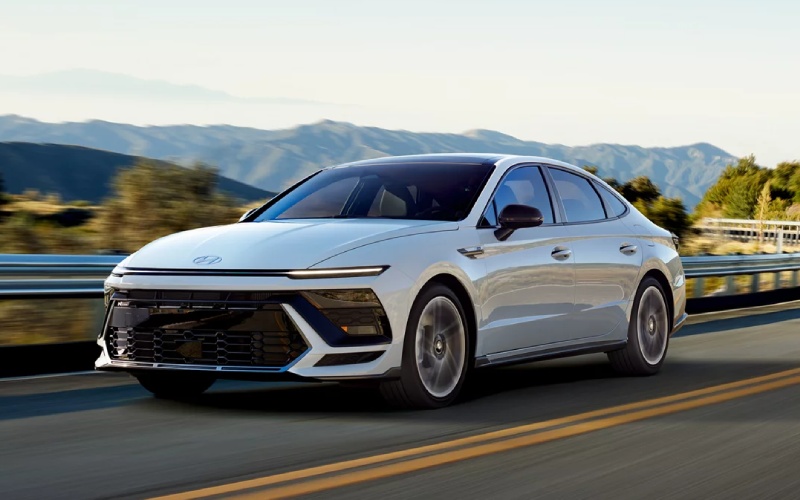
Hyundai of Grand Island – Panoramic Curved Display Tips on the 2026 Hyundai Sonata for Central City, NE Drivers
The 2026 Hyundai Sonata’s panoramic curved display elevates every mile with a sleek, driver-focused interface that pairs a 12.3-inch touchscreen and an available 12.3-inch digital instrument cluster into one sweeping view. For daily driving around Central City, NE, this single sightline streamlines glance time, helps reduce distraction, and puts your most-used features in clear reach. Whether you prioritize Wireless Apple CarPlay® and Android Auto™, Bluelink+ remote features, or on-road guidance, the display brings it all together with a clean, modern aesthetic that complements the Sonata’s ultramodern cabin design. If you prefer the athletic character of N Line or the serene efficiency of Sonata Hybrid, your key infotainment touchpoints remain intuitive and consistent, which makes switching trims seamless for households sharing the vehicle.
Dialing in the panoramic curved display for daily commuting is straightforward and rewarding. Start by choosing your home screen layout to put navigation, audio, and real-time driving data up front. The available 12.3-inch digital cluster can be configured to prioritize the metrics you value—whether that is a calm, minimalist view for relaxed travel or a performance-forward layout that highlights tachometer and drive mode in N Line. When you add premium touches like available Bose® Premium Audio with 12 speakers, your display becomes the control center for crisp, balanced sound. And if your routine includes winter mornings and quick departures, pairing your phone through Hyundai Digital Key 2 Premium sets the stage for a faster, more connected start to the day.
- Customize quick access: Create shortcuts to favorite apps, driver-assistance settings, and frequently used functions so you are one tap from the features you use most.
- Optimize cluster views: Choose information density and themes that match your focus—efficiency tracking for Sonata Hybrid or performance emphasis for N Line.
- Leverage voice commands: Use natural-language prompts to adjust climate, set navigation, or change music without taking your hands off the wheel.
- Use profiles for multiple drivers: Save individual preferences for display layout, audio balance, and connectivity, ideal for shared vehicles.
- Keep software current: Take advantage of available OTA updates to ensure maps and infotainment stay fresh and responsive.
Drivers who spend a lot of time on Highway 30 or shuttle between neighborhoods will appreciate how the panoramic curved display aligns with Hyundai SmartSense assistance. Features like Smart Cruise Control with Stop & Go and Lane Following Assist work in concert with your screens to present timely alerts and lane information. The benefit is not just safety—it is reduced cognitive load. Clear visuals and crisp graphics help you digest information quickly, which is particularly helpful when navigating unfamiliar areas or reacting to changing traffic. Pair that with Bluelink+, and you can handle remote start, lock and unlock, and vehicle status checks from a compatible smartphone, so your Sonata is ready before you even open the door.
Wireless Apple CarPlay® and Android Auto™ complete the experience by keeping your digital life integrated without clutter. For many Central City, NE families, fewer cables means easier handoffs between drivers and a cleaner organization for daily errands. Set your favorite podcast, keep your group chats audible with minimal distraction, and let turn-by-turn guidance float on the display with the clarity it deserves. If you choose Sonata Hybrid, the same interface surfaces efficiency readouts that make it simple to maximize range through gentle throttle and smart regenerative braking. If you choose N Line, your preferred drive mode and shift cues are never buried—just a glance away.
For buyers evaluating trims, don’t overlook how central this display feels during ownership. It is not just about screen size; it is the way the Sonata harmonizes the cabin experience around one elegant arc. Hyundai of Grand Island can help you compare layouts and features in person and show how easy it is to set up profiles, pair phones, and tailor the driving environment for your schedule. With an approachable learning curve and room for deeper personalization, the panoramic curved display meets you where you are—then grows with you as your needs change.
Frequently Asked Questions:
Does the 2026 Hyundai Sonata require cables for smartphone integration?
No. The Sonata supports Wireless Apple CarPlay® and Android Auto™, so you can connect without plugging in.
Can I get navigation prompts in the cluster as well as the touchscreen?
On models with the available 12.3-inch digital cluster, select layouts can show guidance cues for at-a-glance clarity.
How do updates work for the display?
With available OTA updates, your Sonata can receive the latest map and multimedia software, helping keep features current.
Is the display easy to use for multiple drivers?
Yes. Create driver profiles to store individual preferences for layout, audio, and connectivity for quick, consistent handoffs.
For shoppers comparing trims and tech, our team—serving Hastings, St. Paul, and Central City—can demonstrate everything from cluster customization to voice controls, so you leave confident in your setup.
Request more 2026 Hyundai Sonata information
Connect with us


Hyundai of Grand Island

Address
3312 West Stolley Park Road
Grand Island, NE 68803
Phone
- Sales 308-318-3282308-318-3606
- Service 308-318-3848
- Parts 308-318-4342
| Monday | 8:00AM - 7:00PM |
| Tuesday | 8:00AM - 7:00PM |
| Wednesday | 8:00AM - 7:00PM |
| Thursday | 8:00AM - 7:00PM |
| Friday | 8:00AM - 7:00PM |
| Saturday | 8:00AM - 6:00PM |
| Sunday | Closed |
| Monday | 7:30AM - 6:00PM |
| Tuesday | 7:30AM - 6:00PM |
| Wednesday | 7:30AM - 6:00PM |
| Thursday | 7:30AM - 6:00PM |
| Friday | 7:30AM - 6:00PM |
| Saturday | Closed |
| Sunday | Closed |
| Monday | 8:00AM - 5:00PM |
| Tuesday | 8:00AM - 5:00PM |
| Wednesday | 8:00AM - 5:00PM |
| Thursday | 8:00AM - 5:00PM |
| Friday | 8:00AM - 5:00PM |
| Saturday | Closed |
| Sunday | Closed |