
Blog / Hyundai Elantra

SmartSense Confidence and Dual-Screen Clarity in the 2026 Hyundai Elantra for Everyday Driving around Wood River, NE

SmartSense Confidence and Dual-Screen Clarity in the 2026 Hyundai Elantra for Everyday Driving around Wood River, NE

Hyundai of Grand Island - SmartSense Confidence and Dual-Screen Clarity in the 2026 Hyundai Elantra for Everyday Driving around Wood River, NE

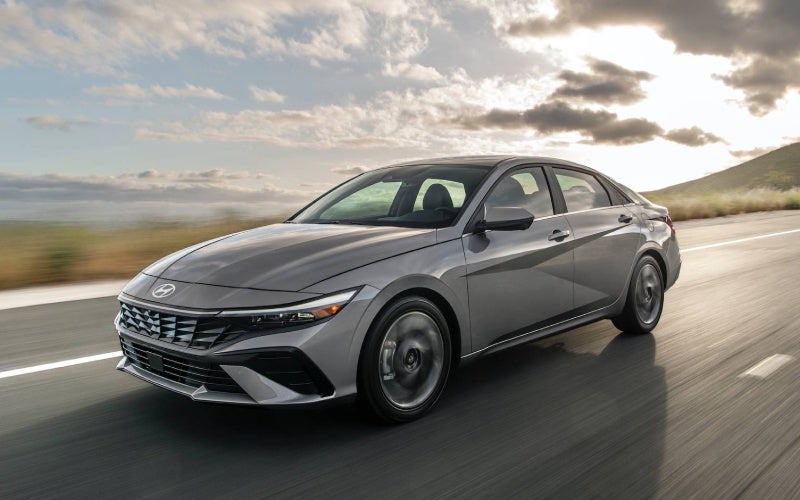
When a commute is part of your routine, the tools that help you stay confident and connected matter as much as the car’s styling. That’s where the 2026 Hyundai Elantra shines. Its advanced Hyundai SmartSense safety suite helps support calm, predictable driving, while the available dual 10.3-inch displays present information cleanly so your attention stays on the road. In an era when some systems can feel distracting or complicated, the Elantra’s layout makes essential features easy to find and easier to trust. One test drive is enough to appreciate how the car’s tuning and technology work in harmony on two-lane highways around Wood River, NE, and on I-80 alike.

The beauty of Hyundai’s approach is that the fundamentals are standard, and the most helpful upgrades are available as you move up trims. Forward Collision-Avoidance Assist and Lane Keeping Assist come ready to help from day one, while select models add Smart Cruise Control with Stop & Go for low-stress tracking in traffic. If you choose the dual 10.3-inch screens, you gain a crisp digital instrument display plus a high-resolution infotainment touchscreen, both angled toward the driver for easy reach. Prefer the straightforward simplicity of the standard 8.0-inch touchscreen? You’ll get quick access to wireless Apple CarPlay and Android Auto, while core controls remain satisfyingly physical. Below are two quick highlights for shoppers who want the most from safety and displays without a steep learning curve.

  • SmartSense coverage you can feel: From Lane Following Assist to available Blind-Spot Collision-Avoidance Assist and Rear Cross-Traffic Collision-Avoidance Assist, the Elantra layers in technology that supports better awareness without overwhelming you.
  • Displays that keep your focus forward: Choose the dual 10.3-inch setup for a seamless panoramic look and turn-by-turn clarity, or enjoy the standard 8.0-inch screen’s fast smartphone mirroring and easy menus.

Drivers often ask how these systems behave once traffic gets complicated. The answer is refreshingly simple: the Elantra’s features are tuned to help—gently and transparently. Lane Following Assist provides subtle steering support on well-marked roads, while Smart Cruise Control with Stop & Go can bring the car to a halt and resume when traffic sets off again, within system limits. During test drives, many shoppers appreciate that the alerts are clear but not intrusive, and that the car’s steering and braking still feel natural with assistance active. It’s a thoughtful balance that demonstrates how safety tech should work in the real world.

Beyond the screens and safety, the way information is organized matters just as much. The Elantra’s interface places maps, media, and driver data exactly where you expect, reducing the number of touches for common actions. The driver display offers clean graphics, while the infotainment screen responds promptly to inputs without lag. Voice control is straightforward for navigation and calls, and the available Bose audio system elevates your daily soundtrack without muddiness. These are the quiet details that make a commute feel more relaxed, even on busy afternoons.

Frequently Asked Questions:

Which SmartSense features are standard on the Elantra?

Forward Collision-Avoidance Assist and Lane Keeping Assist are standard, with Lane Following Assist included on most trims. Features such as Blind-Spot Collision-Avoidance Assist, Rear Cross-Traffic Collision-Avoidance Assist, and Smart Cruise Control with Stop & Go are available based on configuration.

Is the dual 10.3-inch display setup worth it for daily driving?

If you value a unified digital cockpit with a wide instrument view and a high-resolution infotainment touchscreen, yes. It organizes guidance and media clearly, particularly helpful for turn-by-turn prompts and quicker access to settings. If you prefer wireless smartphone mirroring, the standard 8.0-inch screen is excellent.

How does Smart Cruise Control help during stop-and-go traffic?

Smart Cruise Control with Stop & Go can manage speed and following distance and, within system parameters, bring the car to a full stop before automatically resuming as traffic moves. The tuning prioritizes smoothness and maintains a natural braking feel.

Can a product specialist help me set up the safety and infotainment features?

Absolutely. You can expect a walk-through of key settings and a short road loop to demonstrate how alerts and assistance behave, including how to personalize sensitivity and display layouts.

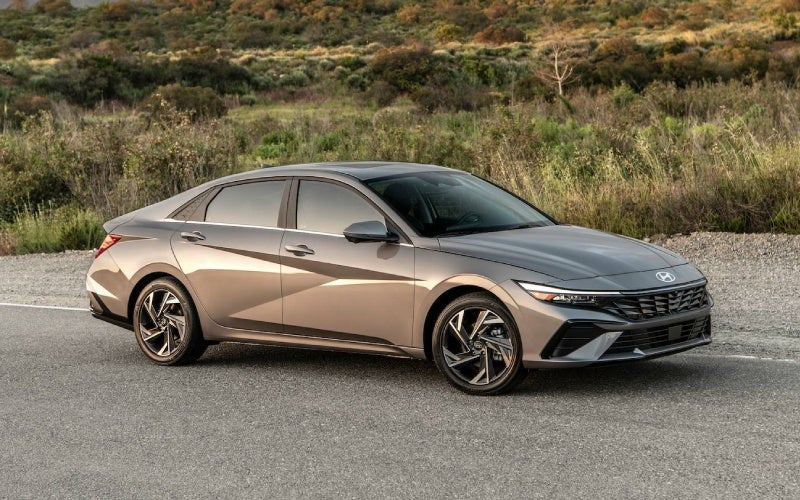
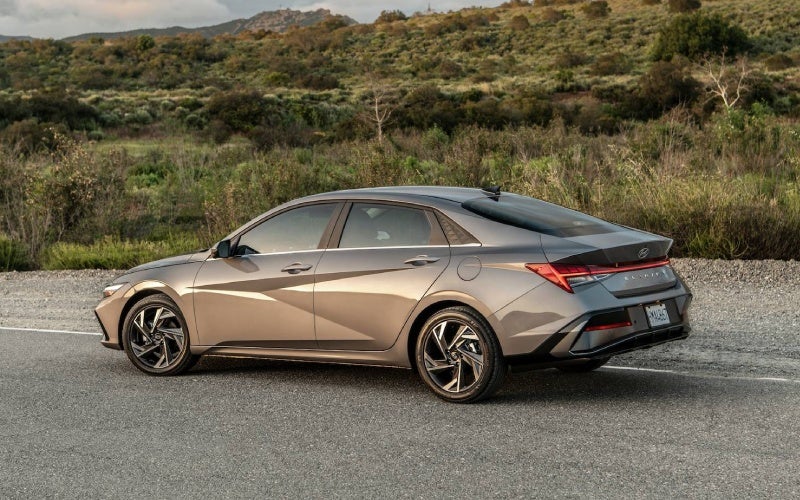
For shoppers who want clarity and confidence with no guesswork, the Elantra’s combination of SmartSense and user-friendly displays is a standout. You get the core driver assists standard, valuable upgrades available, and an interface that keeps the learning curve short. That’s a smart daily driver formula for Nebraska roads. Hyundai of Grand Island offers guided test drives and tech set-up support, serving Doniphan, Wood River, and Giltner so you can see, touch, and try the features that matter most before you decide.
Request more 2026 Hyundai Elantra information

Posted in:

Related Posts

Highway Driving Assist and Everyday Confidence in the 2026 Hyundai ELANTRA for Doniphan, NE Commuters

Highway Driving Assist and Everyday Confidence in the 2026 Hyundai ELANTRA for Doniphan, NE Commuters

Hyundai of Grand Island - Highway Driving Assist and Everyday Confidence in the 2026 Hyundai ELANTRA for Doniphan, NE Commuters Driving from Doniphan to Grand Island can be a short hop or a longer highway run, depending on the day. The 2026 Hyundai ELANTRA brings a suite of driver-assist features and intuitive displays that are genuinely helpful on US-281, Highway 34, or while merging near I-80. In this blog, we will break down the systems that give you a more relaxed drive—Highway Driving Assist, Smart Cruise Control with Stop & Go, Lane Following Assist, and more—plus the display tech that keeps your information clear without distraction. Why driver assistance stands out for Doniphan, NE driving Local roads around Doniphan can vary—steady-speed highway stretches, two-lane segments with light traffic, and quick sprints through town. In that mix, features like Lane Following Assist and Highway Driving Assist earn their keep. They are not about replacing the driver; they are about easing the little tasks that add up, helping you maintain lane centering, distance, and a calm pace when the route turns routine. Paired with ELANTRA’s available dual 10.25-inch displays, you get a clean view of your speed, set distance, and navigation prompts so you can anticipate the next turn or exit well ahead of time. Hyundai built these systems to be approachable: clear icons, simple steering-wheel controls, and audible/visual prompts that are informative without being overwhelming. The result is a sedan that feels “on your side,” whether you are rolling along US-281 at a steady clip or heading into Grand Island for dinner and errands. Key ELANTRA features that make commuting easier Highway Driving Assist: Helps maintain a set speed, following distance, and lane centering on controlled-access roads—standard on Limited. Smart Cruise Control: Available with Stop & Go to automatically slow and resume with traffic on properly marked roads. Lane Keeping & Following: Standard LKA and LFA provide steering support to help keep you in your lane and centered. Blind-Spot Alerts: Standard BCW gives timely warnings when a vehicle is in your blind spot area as you signal to change lanes. Rear Cross-Traffic Assist: Standard RCCA provides audio/visual cues—and can brake—when it detects vehicles crossing behind you. High Beam Assist: Standard HBA can toggle your high beams when it detects oncoming traffic at night. The above systems form a helpful foundation for daily driving and quick trips. If you choose the Limited trim, Highway Driving Assist layers in a more comprehensive highway companion, while SEL Sport Premium adds Smart Cruise Control with Stop & Go, so heavy traffic feels less tedious. No matter the trim, ELANTRA’s standard safety roster is impressively generous for the segment. Displays that keep you informed at a glance The ELANTRA’s available dual 10.25-inch displays are a quiet but notable upgrade for drivers who care about clarity. Hyundai pairs a hi-res touchscreen with navigation next to a 10.25-inch fully digital cluster for a near-seamless panel. On commutes north toward Grand Island, that means your turn-by-turn directions and driver-assist icons live right where you want them—front and center—so you can check your set speed, following distance, and next turn without bouncing between screens. If you prefer simplicity, the standard 8-inch screen with wireless Android Auto and Apple CarPlay keeps your apps in easy reach, and the interface remains straightforward. Either way, the presentation is tidy, responsive, and confident at highway speeds. Everyday tech that elevates the drive Bluelink+ Convenience: Available Bluelink+ lets you remotely start, lock/unlock, and more from your smartphone. Wireless Charging: An available Qi-compatible pad reduces cord clutter on busy days. Premium Sound: Available Bose® Premium Audio makes podcasts and playlists pop. Digital Key: Hyundai Digital Key 2 Touch (available) can simplify key sharing with compatible smartphones. These features do not just check a box; they add small efficiencies that compound over weeks of commuting. Remote-starting to pre-condition the cabin, charging your phone without cables, and using navigation that shows clearly on a broad display all lead to a more refined daily routine. And if you opt for the ELANTRA N Line, the 201-hp 1.6L Turbo with a 7-speed DCT brings a nice bump in responsiveness for passing on open stretches. Tips for trying driver assistance on a test drive Start Simple: On a low-traffic road, engage Smart Cruise Control to feel how it maintains distance and speed. Watch the Cluster: With the digital display, note the icons for lane centering and following distance as they activate. Check Lane Support: Lightly relax steering input and feel the gentle cues from LKA and LFA on clearly marked roads. Practice Exits: Use navigation guidance and watch the cluster change to upcoming-turn prompts to see how early it cues you. Using these features in a controlled way builds trust, which is ultimately what makes the daily Doniphan-to-Grand Island route feel calmer. The systems are easy to tailor—adjust following distance, change alert volumes, or switch modes—so you can find the settings that fit your style. Frequently Asked Questions: Does Highway Driving Assist steer the car by itself? No. Highway Driving Assist helps with lane centering, set speed, and following distance on compatible highways, but you must keep your hands on the wheel and remain engaged at all times. What is the difference between Smart Cruise Control and Highway Driving Assist? Smart Cruise Control with Stop & Go helps you maintain speed and distance, including stop-and-go capability. Highway Driving Assist adds lane-centering support and enhanced highway functionality. Both are assistance features—not autonomous driving. Can I use driver assistance on any road? Features like Lane Following Assist and Lane Keeping Assist work best on clearly marked roads. Highway Driving Assist is intended for controlled-access highways. Always follow the Owner’s Manual and use features only where appropriate. Do I need the 10.25-inch display to use these systems? No. Driver-assist systems work across trims, and status information shows on your instrument cluster. The available dual 10.25-inch setup simply provides a broader, more unified view for navigation and system icons. Does Hyundai Digital Key 2 Touch replace a traditional key? It can complement your key by allowing compatible smartphones to lock, unlock, and start the vehicle. You can still use a traditional key fob, and Digital Key 2 Touch adds flexible access options. The best way to see how these features come together is to schedule a test drive. The systems are approachable, the screens are crisp, and the cabin feels thoughtfully arranged—ideal for the mix of highways and town streets that define Doniphan driving. If you want help exploring trims and options, Hyundai of Grand Island can walk you through SEL Sport Premium, Limited, hybrid choices, and the N Line so you match features to your commute with confidence. We are serving Ravenna, Doniphan, and Wood River with a streamlined test-drive and purchasing experience designed to make your research easier and your next steps simple. Request more 2026 Hyundai Elantra information

Hyundai Digital Key 2 Touch on the 2026 Hyundai Elantra — Everyday Convenience for Hastings, NE Drivers

Hyundai Digital Key 2 Touch on the 2026 Hyundai Elantra — Everyday Convenience for Hastings, NE Drivers

Hyundai of Grand Island - Hyundai Digital Key 2 Touch on the 2026 Hyundai Elantra — Everyday Convenience for Hastings, NE Drivers If everyday convenience and tech-forward confidence are high on your wish list, the 2026 Hyundai Elantra’s available Hyundai Digital Key 2 Touch belongs at the top of your research. Using your compatible smartphone, you can lock, unlock, and start your Elantra—no traditional key needed. For drivers around Hastings, NE, where schedules can go from a morning meeting downtown to a late pickup on Burlington Avenue, it’s the kind of feature that quietly transforms routine errands and family handoffs. What makes Digital Key 2 Touch so compelling is how naturally it fits into the life you’re already living—no new habits required. Add your car key to your compatible device’s native wallet app, like Apple Wallet, Google Wallet, or Samsung Pass, and you’re set. Your phone becomes your key, and with the ability to share access digitally, lending the Elantra to a trusted family member is as simple as sending a text. How Hyundai Digital Key 2 Touch works Hyundai Digital Key 2 Touch uses your compatible smartphone as a secure access point for your Elantra. Once set up, you can unlock the doors and start the vehicle via your device, and you can share that access—temporarily or longer term—when life calls for it. It’s especially helpful if you’re coordinating with a spouse or sharing driving duties with a student who splits time between classes near Hastings College and a part-time job across town. Confirm your device is compatible and update to the latest OS version. Add your Digital Key to Apple Wallet, Google Wallet, or Samsung Pass. Follow the Elantra’s on-screen prompts to complete pairing. Send a secure, time-bound share link if you want to grant access to another driver. That’s it—no extra dongles, no layers of complexity. And because it’s integrated with your phone’s native wallet app, the feature feels familiar from day one. Why it matters for everyday driving around Hastings In Hastings, NE, daily driving often means quick stops, school drop-offs, and parking near local shops where juggling keys is the last thing you want to do. Digital Key 2 Touch reduces the friction of those micro-moments. Heading into the courthouse or running into the grocery store? Keep your phone in your pocket and move confidently. Need to pass the Elantra to a family member parked over by Heartwell Park? Share access securely—no detour required. Pair this with the Elantra’s available wireless device charging and Wi-Fi hotspot capabilities, and you get a tightly integrated tech story that’s genuinely helpful. You arrive with devices charged, your apps synced via standard wireless Android Auto and Apple CarPlay on the 8-inch display (or the available 10.25-inch touchscreen with navigation), and your keys handled seamlessly by your smartphone. Security, sharing, and peace of mind The flexibility to share access is what turns Hyundai Digital Key 2 Touch from a novelty into a daily advantage. When plans change—and they always do—you can grant access digitally and then remove it when it’s no longer needed. That means your Elantra is ready for last-minute schedule swaps without the hassle of tracking down a physical fob. Of course, the Elantra still provides the familiarity of traditional access methods, so you’re not locked into a single approach. The key is choice—use your smartphone when it’s most convenient, and rely on traditional methods whenever you prefer. How it connects to the rest of the Elantra’s tech Hyundai Digital Key 2 Touch is part of a broader tech package that helps streamline every mile. The available dual 10.25-inch display setup creates a modern cockpit—one screen for navigation and infotainment, and one fully digital instrument cluster. Standard wireless Android Auto and Apple CarPlay reduce cords and clutter, and available wireless charging keeps the center console neat. Add available Smart Cruise Control with Stop & Go for interstate stretches and Highway Driving Assist on Limited for long commutes, and the Elantra feels purpose-built for the way we all drive now. Digital access: Hyundai Digital Key 2 Touch makes your compatible smartphone your key—shareable and wallet-ready. Display clarity: Available 10.25-inch touchscreen with navigation plus a 10.25-inch digital cluster keep info front and center. Wireless ease: Standard wireless Android Auto™ & Apple CarPlay® on the 8-inch display simplify daily connections. Driver assists: Available Smart Cruise Control with Stop & Go and Highway Driving Assist support confident highway miles. What stands out is how naturally these features work together. Unlock with your phone, set your route on the available 10.25-inch display with navigation, let Smart Cruise Control manage the flow on US-6 or US-34, and step out at the end of the day with one device handling it all. That cohesiveness is where the Elantra feels a step ahead. Frequently Asked Questions: What phones work with Hyundai Digital Key 2 Touch? Hyundai Digital Key 2 Touch works with compatible smartphones that support Apple Wallet, Google Wallet, or Samsung Pass. Check your device and OS version to confirm compatibility. Can I share Digital Key access with a family member? Yes. You can securely share access via a texted link and revoke access when you no longer need to share the Elantra. Does the Elantra still come with a traditional key fob? Yes. While Digital Key 2 Touch adds everyday convenience, traditional access methods remain available for flexibility. Is Digital Key 2 Touch standard on all Elantra trims? Hyundai Digital Key 2 Touch is available on select trims, including Limited. Ask our team to help you compare trims and features. How does Digital Key 2 Touch work with Bluelink+? Bluelink+ adds remote capabilities from the MyHyundai with Bluelink app. Combined with Digital Key 2 Touch, you get both remote features and wallet-based access from your compatible smartphone. The local advantage At Hyundai of Grand Island, we help drivers choose the right trim and tech setup for life around Hastings—where reliable connectivity and quick handoffs can be the difference between rushing and relaxing. Our product specialists will walk you through setup, demonstrate Digital Key 2 Touch, and make sure it fits your day-to-day. We’re proud of our simple, up-front approach and our focus on tools that make ownership easier, serving Hastings, St. Paul, and Central City with a streamlined, local-first experience. Hyundai Digital Key 2 Touch is more than a headline feature—it’s a daily time-saver that pairs perfectly with the Elantra’s broader technology story. If you’re mapping out a smarter commute or planning for a car that the whole household can share, it’s worth seeing how quickly this one feature reshapes your routine. Stop by to explore the 2026 Hyundai Elantra and see how smoothly your smartphone can become the most convenient key you carry. Request more 2026 Hyundai Elantra information

2026 Hyundai Elantra Limited for Confident Daily Driving around St. Paul, NE

2026 Hyundai Elantra Limited for Confident Daily Driving around St. Paul, NE

Hyundai of Grand Island - 2026 Hyundai Elantra Limited for Confident Daily Driving around St. Paul, NE The 2026 Hyundai Elantra Limited stands out as the practical, premium choice for drivers who want advanced assistance, upscale touches, and everyday ease in one well-balanced sedan. Around St. Paul, NE, it pairs clean exterior lines with LED lighting and tasteful accents that look as refined at a work lunch as they do at a Friday night ballgame. Inside, Limited brings high-end tech to familiar routes—Bose® Premium Audio enriches your podcasts and playlists, while available dual 10.25-inch displays place navigation and your digital instrument readings side by side for crisp, glanceable clarity. What truly sets Limited apart is how these elements work together to reduce distraction and mental load. Highway Driving Assist (HDA) helps maintain distance and lane centering on compatible highways, ideal for stretches of US-281 or the drive toward Grand Island. Smart Cruise Control (SCC) with Stop & Go complements that on busier sections by easing the start-stop tedium. Hyundai SmartSense features such as Lane Keeping Assist, Lane Following Assist, Blind-Spot Collision Warning, Rear Cross-Traffic Collision-Avoidance Assist, High Beam Assist, and Driver Attention Warning form a safety net you can count on, whether you’re threading through school pick-up or merging onto a fast-moving roadway. On the practical side, Limited gives you generous interior space for a compact sedan. There’s real room in the second row for friends or family, and a trunk that swallows grocery hauls or sports gear without fuss. Hyundai Digital Key 2 Touch modernizes your routine by enabling smartphone-based unlocking and starting with a compatible device—perfect when your hands are full after a run to the store on 2nd Street or when lending the car to a family member. The cabin’s thoughtful layout, clear controls, and supportive seating keep the focus on the road ahead, with refinement that never feels fussy. For St. Paul drivers who split time between local errands and regional routes, Elantra Limited’s balance of premium and practical is the story. It’s easy to live with on narrow residential lanes, composed at highway speeds, and simple to park near local shops. The digital experience is crisp and approachable, from the clean display layouts to the natural voice prompts. And because the underlying Elantra platform is inherently roomy and efficient, you don’t have to choose between comfort and agility. Why Limited instead of other trims? The value lies in the way driver assistance, connectivity, and interior polish merge into one streamlined experience. Limited is the trim that helps you feel a step ahead—less time fussing with buttons, more time focusing on driving and the day’s agenda. If you appreciate technology that feels like an ally but never a distraction, Limited is the right call. Highway confidence: Highway Driving Assist (HDA) helps maintain lane centering and distance on compatible highways, taking the edge off longer drives toward Grand Island. Daily assistance: Smart Cruise Control (SCC) with Stop & Go helps smooth out traffic on two-lane connectors and during after-school congestion. Premium audio: Bose® Premium Audio brings clarity to calls and depth to streaming—useful when you switch between work and family life on the fly. Modern access: Hyundai Digital Key 2 Touch lets a compatible smartphone unlock and start the vehicle for keyless convenience. Smart packaging: Generous rear-seat room and a useful trunk mean trips to the market or weekend ballfields stay easy. From an ownership perspective, Limited also shines because its technology is designed to work in the background. You’ll appreciate the support of Lane Following Assist on long, straight sections and the way High Beam Assist automatically toggles your lights when traffic approaches. The result is a calmer, more attentive drive. Add the available dual-screen setup, and your information is easier to see and process—no clutter, no compromise. Identify your driving mix: local errands, school drop-offs, and weekend drives to Grand Island or Ord. List the must-haves: lane centering support, premium audio, and smartphone-based convenience. Test the tech: try HDA on a highway segment and feel how SCC with Stop & Go manages gaps and restarts. Confirm comfort: check rear-seat space and trunk access for your daily routines. Make it yours: choose a color that fits your style—Abyss Black, Serenity White, or something bolder. Frequently Asked Questions: Does Elantra Limited include Highway Driving Assist? Yes. Limited includes Highway Driving Assist (HDA), which helps maintain lane centering and a set distance on compatible highways. What makes Limited more premium than other Elantra trims? Limited adds upscale features like Bose® Premium Audio, H-Tex® trimmed seats, Hyundai Digital Key 2 Touch, and advanced driver assistance for a more refined daily drive. Is the Elantra Limited easy to use for everyday driving around St. Paul? Absolutely. The controls are intuitive, the available dual 10.25-inch displays present information cleanly, and assistance features reduce commuting stress while keeping you more aware. How does Digital Key 2 Touch help in day-to-day life? With a compatible smartphone, you can unlock doors and start the vehicle without digging for a key, and you can share access with family via text. When you’re ready to explore the 2026 Hyundai Elantra Limited, our team can help you compare features and get comfortable with the driver assistance and connectivity tools you’ll use most. Hyundai of Grand Island provides a friendly, straightforward process that respects your time and builds confidence at every step, serving St. Paul, Central City, and Ord. Bring your questions, take a thoughtful test drive, and see how Limited’s features simplify your routine across workdays and weekends alike. *Image may not be actual model Request more 2026 Hyundai Elantra information